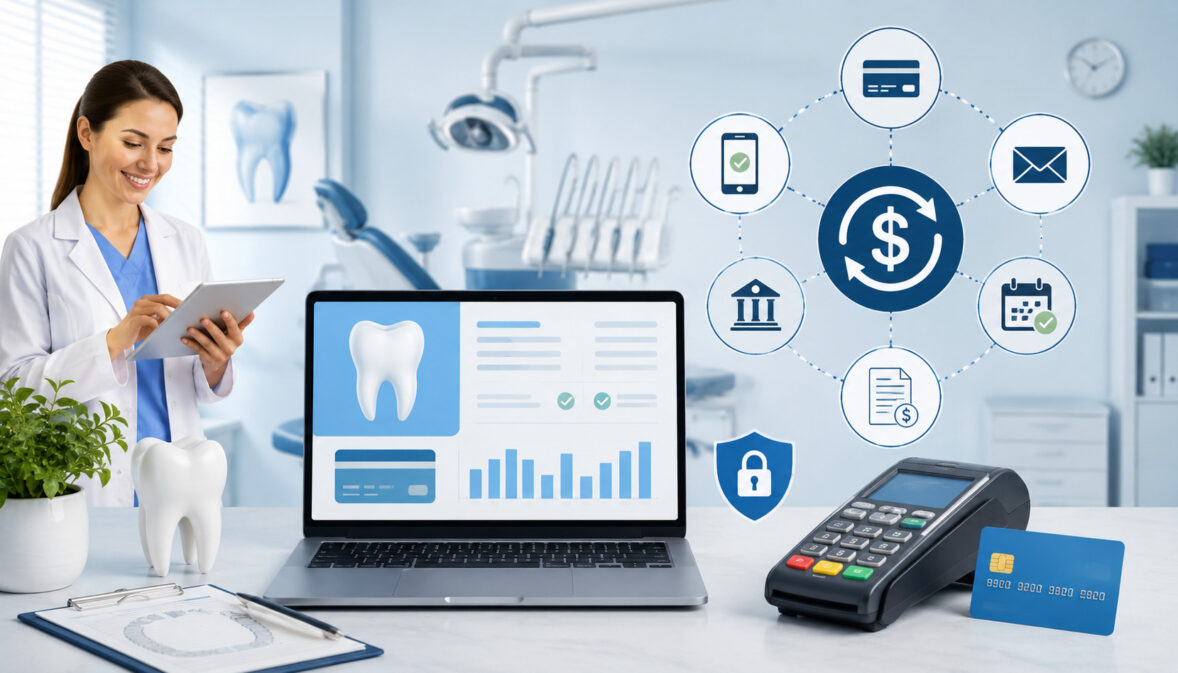
Payment automation for dental offices helps practices collect patient balances faster, reduce manual billing tasks, and create a smoother payment experience from treatment estimate to final receipt.
For many dental teams, payments are no longer limited to front-desk card swipes after an appointment. They now include patient balances after insurance, treatment deposits, payment plans, memberships, online invoices, recurring payments, and follow-up reminders.
Manual payment workflows can slow everything down. A patient leaves without paying a balance. An insurance estimate changes. A card number is written down insecurely. A staff member forgets to send a reminder. A recurring treatment plan payment is missed. Each small issue adds administrative work and affects cash flow.
Dental payment automation helps solve these problems by using secure technology to trigger invoices, reminders, payment links, autopay schedules, receipts, and reconciliation steps with less manual effort.
It does not replace patient communication. Instead, it supports the billing team so they can spend more time helping patients understand their balances, treatment options, and payment responsibilities.
For dentists, office managers, billing coordinators, and practice owners, the goal is simple: make payments easier to collect, easier to track, and easier for patients to complete.
What Is Payment Automation for Dental Offices?
Payment automation for dental offices is the use of software, payment tools, and connected workflows to handle repetitive billing and collection tasks automatically.
Instead of relying only on manual calls, mailed statements, handwritten notes, or one-by-one payment entry, the practice can use automated systems to send invoices, process scheduled payments, store payment credentials securely, and match payments to patient accounts.
In a dental setting, automation often connects to several common payment activities. These include automated invoicing after insurance is processed, online payment links for patient balances, text or email reminders, ACH payments, card-on-file arrangements, recurring payments for dentists offering memberships or treatment plans, and automated reconciliation reports.
For example, when a patient completes a crown appointment and insurance leaves a remaining balance, the system may generate an invoice, send a secure payment link, remind the patient if the balance remains unpaid, and post the payment once completed. The billing team still oversees the account, but the system handles the routine follow-up.
Dental billing automation can also support treatment deposits, orthodontic payment plans, implant cases, cosmetic procedures, hygiene membership plans, and family account balances. The best setup depends on the practice’s size, software, patient mix, and payment policies.
Useful internal resource: practices comparing payment tools may benefit from reviewing information on payment processing options for dental offices.
Why Dental Practices Are Automating Payments
Dental practices are automating payments because manual billing is time-consuming, inconsistent, and easy to delay during a busy schedule.
A front-desk team may be answering phones, checking in patients, confirming appointments, reviewing treatment plans, collecting co-pays, and following up on overdue balances at the same time. When payment follow-up depends entirely on manual effort, some balances naturally fall through the cracks.
Manual workflows can also create confusion. Patients may not know whether they owe a balance after insurance. Staff may need to re-enter payment information in multiple systems. Statements may be delayed.
Reminders may be sent too late. A patient may intend to pay but forget because there is no simple digital option available.
Dental office payment processing automation helps practices reduce these bottlenecks. Automated reminders keep balances visible. Online payments for dental practices let patients pay when it is convenient. Recurring billing helps patients manage larger treatment costs. Automated reconciliation reduces end-of-day guesswork and makes reporting cleaner.
Automation also supports a better patient experience. Many patients already use digital payments in other parts of their lives. When a dental office offers secure payment links, mobile-friendly invoices, saved payment methods, and predictable payment schedules, patients are less likely to see billing as a frustrating separate process.
For the practice, faster collections and fewer missed follow-ups can improve cash flow. For the patient, payment becomes clearer and easier to complete.
Key Features of Automated Payment Systems for Dentists
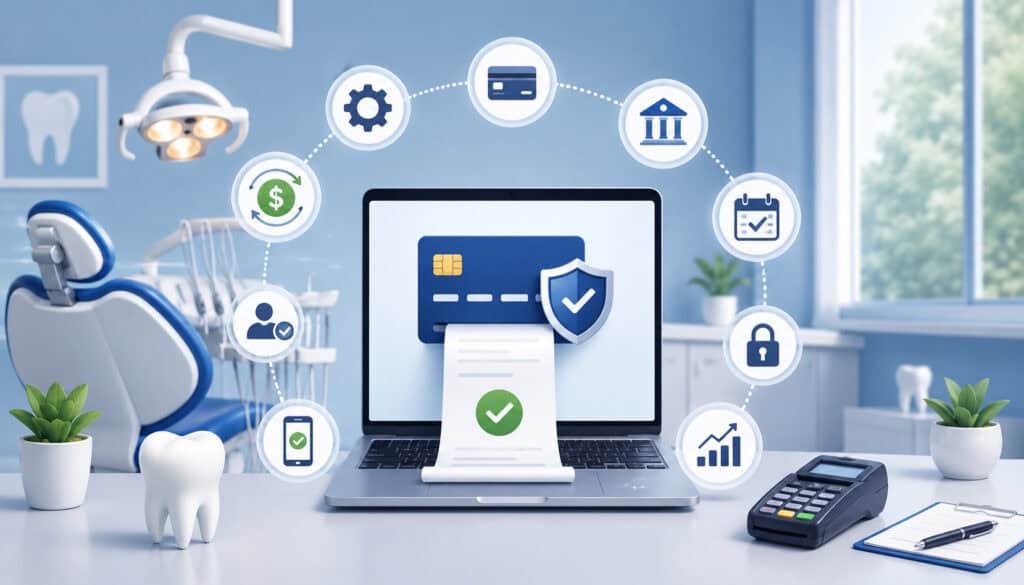
Automated payment systems for dentists should do more than simply accept cards. Dental offices have unique billing workflows involving patient responsibility, insurance estimates, treatment deposits, recurring plans, family balances, refunds, adjustments, and account reconciliation. A strong system should support these realities while remaining easy for the team to use.
The most useful features usually include automated payment reminders, recurring billing, card-on-file management, online invoices, ACH options, patient portal payments, payment links, reporting dashboards, refund controls, and secure reconciliation tools.
The goal is not to automate everything blindly. The goal is to reduce repetitive work while giving staff better visibility and patients more convenient ways to pay.
| Automation Feature | What It Does | Why It Matters |
| Automated payment reminders | Sends balance reminders by text or email | Reduces missed follow-ups and overdue accounts |
| Online payment links | Lets patients pay from a secure link | Makes payment faster and more convenient |
| Recurring billing | Charges approved payment plans on schedule | Supports orthodontics, implants, memberships, and larger cases |
| Card-on-file workflows | Stores payment credentials securely through tokenization | Avoids unsafe manual storage of card details |
| ACH payments | Allows bank-based payments where appropriate | Can support larger balances and recurring plans |
| Payment reconciliation | Matches payments to reports and patient accounts | Reduces manual posting errors |
| Digital receipts | Sends confirmations after payment | Improves transparency and recordkeeping |
| Failed payment alerts | Notifies staff or patients when a payment fails | Helps resolve issues quickly |
Automated Payment Reminders
Automated payment reminders help dental practices follow up on unpaid balances without requiring staff to manually track every account. These reminders are commonly sent by email, text message, or both. They can be scheduled based on the age of the balance, the patient’s payment plan, or a specific due date.
For example, a patient may receive a reminder when a balance is first posted, another reminder a few days before the due date, and a follow-up if payment is missed. When the reminder includes a secure payment link, the patient can take action immediately instead of calling the office during business hours.
Dental payment reminders are especially useful for balances that appear after insurance processing. Many patients assume they are finished paying after the visit, only to receive a remaining balance later. A clear reminder with an itemized statement helps reduce confusion and encourages faster payment.
Recurring Billing and Autopay
Recurring payments for dentists are valuable when patients need to spread treatment costs over time. Orthodontics, implants, cosmetic dentistry, dentures, sleep appliances, periodontal therapy, and in-house membership plans may all involve scheduled payments.
Instead of manually charging each patient every month, the practice can set up an approved recurring plan.
Autopay works best when the terms are clear. Patients should understand the amount, schedule, start date, end date, payment method, cancellation terms, and what happens if a payment fails. The practice should document consent and provide receipts for each transaction.
Recurring billing can improve cash flow because payments happen on a predictable schedule. It can also help patients move forward with needed care by making larger balances easier to manage. For the billing team, automated billing for dental offices reduces calendar reminders, manual card entry, and repeated follow-up calls.
Helpful internal resource: practices setting up plans can review guidance on recurring billing for dental treatments and memberships.
Online Payment Links and Patient Portals
Online payment links and patient portals allow patients to pay balances without calling the office. This is especially useful for patients who work during office hours, manage family accounts, or prefer mobile payment options. A secure link can be sent by email or text and tied to a specific invoice or patient balance.
Patient portals can also help patients review statements, payment history, receipts, and outstanding balances. When payment tools connect with billing workflows, the office spends less time answering basic balance questions and more time resolving complex account issues.
Online payments for dental practices also reduce friction after insurance processing. Instead of mailing a statement and waiting for a check, the office can send a digital invoice with a clear payment option. Patients can pay from a phone, tablet, or computer.
How Dental Payment Automation Improves Cash Flow
Dental payment automation improves cash flow by shortening the time between billing and collection. In many practices, revenue delays are not caused by unwilling patients. They are caused by slow statements, unclear balances, missed reminders, limited payment options, and inconsistent follow-up. Automation helps close those gaps.
When invoices are sent promptly and include online payment options, patients can pay sooner. When reminders are scheduled automatically, the practice does not depend on staff remembering every follow-up.
When recurring payments are used for treatment plans or memberships, revenue becomes more predictable. When failed payments are flagged quickly, the team can address issues before balances age too far.
Dental office payment processing automation also helps reduce administrative drag. Staff can spend less time printing statements, keying card numbers, calling patients repeatedly, and reconciling scattered payments.
Better reporting gives practice owners and managers a clearer view of outstanding balances, payment trends, declined transactions, and collection performance.
Automated dental collections should still be managed carefully. Practices should avoid overly aggressive reminders or confusing messages. The best systems support respectful communication, flexible options, and accurate account records.
Cash flow also improves when payment policies are consistent. If the practice collects deposits before major treatment, stores approved payment methods securely, sends digital invoices quickly, and reviews aging reports regularly, automation becomes part of a complete financial workflow.
Payment Automation and Patient Experience

Payment automation and patient experience are closely connected. Patients may judge a dental practice not only by clinical care, but also by how easy it is to schedule, understand costs, pay bills, and manage follow-up. A confusing payment process can create frustration even when the dental care itself is excellent.
Secure dental payments, online invoices, automated receipts, and flexible payment options can make the financial side of care feel more organized. Patients appreciate knowing what they owe, why they owe it, and how they can pay.
Automated reminders can also reduce embarrassment because patients receive a private digital prompt instead of a repeated phone call.
Automation can reduce front-desk wait times. If deposits, balances, or membership payments are handled before the appointment or through a payment link afterward, patients do not always need to stand at the desk while staff processes payments. This can improve patient flow and reduce pressure on the administrative team.
However, automation should never make the practice feel impersonal. Some patients will still need help understanding insurance estimates, treatment costs, or payment plan options. The best dental payment automation supports staff communication rather than replacing it.
Flexible Payment Options for Patients
Flexible payment options help patients manage care without unnecessary friction. A modern practice may accept card payments, ACH payments, online invoices, mobile wallets, card-on-file payments, and approved installment plans. The right mix depends on the practice’s policies, software, and patient needs.
For smaller balances, a secure payment link may be enough. For larger procedures, installment plans or recurring payments may help patients say yes to treatment. For memberships, automated monthly or annual billing can make participation easier. For family accounts, digital statements can clarify which balances belong to which patient.
Flexibility also supports accessibility. Patients may not be able to call during office hours, but they may be able to pay from a mobile device after work. Others may prefer ACH for larger balances or autopay for ongoing plans.
Helpful internal resource: teams evaluating card acceptance can review information on setting up credit card payment options in a dental office.
Reducing Billing Confusion
Billing confusion is one of the biggest reasons payments are delayed. Patients may not understand the difference between an estimate and a final balance. They may assume insurance covered more than it did. They may receive a statement without enough detail. They may miss a mailed bill or forget a verbal reminder.
Automated invoices, itemized statements, digital receipts, and scheduled reminders can reduce confusion by creating a consistent communication trail. A strong invoice should show the balance, due date, payment options, and contact information for questions. Receipts should confirm payment amount, date, and method.
Dental billing automation is most effective when the information is accurate. If patient data, insurance adjustments, or treatment codes are incorrect, automation may simply send the wrong message faster. Staff should review workflows and audit sample invoices regularly.
Payment Security and Compliance Considerations
Payment security is one of the most important parts of payment automation for dental offices. Dental practices handle sensitive patient information and financial data, so payment workflows must be designed carefully.
Secure dental payments require more than a payment terminal. They require proper access controls, encryption, tokenization, staff training, and safe card-on-file procedures.
A key rule is simple: dental offices should not manually store card numbers on paper, spreadsheets, notes, or unsecured systems. Secure card-on-file workflows use tokenization, which replaces actual card details with a secure token used for future approved transactions. This reduces exposure if internal records are accessed improperly.
PCI-aware workflows also matter. Practices should work with payment tools that support secure processing, limit who can access payment functions, and provide appropriate reporting.
Refund permissions should be controlled so only authorized staff can issue refunds or voids. User access should be reviewed regularly, especially when employees change roles or leave the practice.
Encryption helps protect data during transmission. Tokenization helps protect stored credentials. Strong passwords, role-based access, and audit logs help protect the system internally. Staff should know how to verify payment requests, avoid phishing attempts, and handle patient payment questions securely.
Security also affects patient trust. Patients are more comfortable using online payments, autopay, and recurring billing when they know the office uses secure systems and does not handle card details casually.
Connecting Payment Automation With Dental Billing Workflows
Payment automation works best when it is connected to the full dental billing workflow. Payments do not happen in isolation. They are tied to treatment estimates, insurance claims, patient responsibility, appointment scheduling, deposits, statements, adjustments, refunds, and reporting. If automation is disconnected from these steps, it can create confusion instead of efficiency.
For example, a patient may receive a treatment estimate before care begins. The office may collect a deposit, submit insurance, apply an adjustment, and bill the remaining patient balance. Payment automation should support each stage clearly.
A deposit should be recorded properly. A payment plan should match the signed agreement. A post-insurance balance should trigger the right invoice. A paid balance should update the patient account.
Integration with practice management software is often important. When payment tools and billing records communicate well, staff can avoid duplicate entry and reduce posting errors. Reconciliation is also easier because reports can show what was paid, when it was paid, how it was paid, and whether it was posted correctly.
Appointment scheduling can also connect to payment workflows. Some practices collect deposits for major procedures, charge missed appointment fees according to policy, or request payment before a virtual consultation. These workflows should be documented and communicated clearly.
Reporting is another major benefit. Managers should be able to review outstanding balances, recurring payment activity, failed payments, refunds, chargebacks, and collection trends. Without reporting, automation becomes harder to manage.
Common Challenges With Dental Payment Automation
Payment automation can be powerful, but it is not perfect. Dental offices should plan for common challenges before they cause patient frustration or accounting problems.
The most common issues include failed recurring payments, expired cards, outdated patient contact information, declined transactions, duplicate invoices, poor staff training, unclear payment policies, and reconciliation errors.
Failed payments can happen for many reasons. A card may expire. A patient may replace a card after fraud. A bank account may have insufficient funds. A payment method may be entered incorrectly. If the system does not notify the office quickly, missed payments may pile up.
Outdated contact information is another challenge. Automated reminders only work if the email address or phone number is correct. Practices should verify patient contact information during visits and when setting up payment plans.
Staff training is also essential. If team members do not understand how automation works, they may override workflows, send duplicate reminders, misread reports, or fail to explain payment terms. Patients need consistent answers from the entire team.
Automation can also create communication problems if messages are too frequent, too vague, or poorly timed. A patient who receives several reminders after already paying may lose trust. A patient who receives an invoice without context may call the office confused.
Handling Failed or Expired Payment Methods
Failed or expired payment methods should be handled with a clear process. When a recurring payment fails, the system should notify the practice and, when appropriate, notify the patient. The message should explain that the payment did not go through and provide a secure way to update the payment method.
Retry logic can help, but it should be used carefully. Automatically retrying a failed payment too many times may frustrate patients or create avoidable fees. A better approach is to set a reasonable retry schedule, send a helpful notification, and give the patient a direct way to update the card or contact the office.
Some systems support account updater services that refresh expired or replaced card details when permitted. This can reduce failed recurring payments, but the practice should still monitor exceptions.
Staff should also know when to pause automation. If a patient is disputing a balance, changing a treatment plan, or facing a hardship, personal communication may be better than repeated automated attempts.
Avoiding Over-Automation
Over-automation happens when a practice relies too heavily on automated messages and not enough on human judgment. Dental payments often involve insurance questions, treatment concerns, family finances, and personal circumstances. Not every balance should be handled the same way.
For example, a small overdue balance may be appropriate for automated reminders. A large implant case balance may require a personal call. A patient with a long relationship with the practice may appreciate a conversation before collections activity begins. A confused patient may need an explanation rather than another invoice.
Automation should support flexibility. Staff should be able to pause reminders, adjust schedules, correct balances, update communication preferences, and add notes. Patients should also have a clear way to contact the office.
Common Mistakes to Avoid
One common mistake is launching payment automation without clear payment policies. Patients should understand when payment is due, how deposits work, whether payment plans are available, how autopay is authorized, and what happens if a payment fails. If policies are unclear, automation can create disputes.
Another mistake is failing to explain autopay terms. Recurring billing should never feel surprising. Patients should know the amount, frequency, duration, payment method, and cancellation process. Consent should be documented before payments begin.
Weak security controls are also risky. Practices should avoid storing card details manually, sharing logins, giving refund access to too many users, or ignoring PCI-aware workflows. Secure dental payments require both technology and staff discipline.
Poor reconciliation is another issue. Automated payments still need to be matched to patient accounts and financial reports. If the practice does not review deposits, refunds, chargebacks, and failed payments, accounting problems can grow quietly.
Not testing workflows is a major mistake. Before sending automated invoices to real patients, the office should test reminders, payment links, receipts, recurring plans, failed payment notices, and reporting. Small errors in templates or settings can create big confusion.
Using disconnected billing systems can also limit the value of automation. If staff must enter the same payment in multiple places, the practice may still face delays and errors.
Best Practices for Payment Automation in Dental Offices
The best payment automation strategy starts with clear goals. A practice may want to reduce overdue balances, improve treatment plan collections, support memberships, decrease front-desk workload, or make online payments easier. Once the goal is clear, the office can choose workflows that solve real problems instead of adding unnecessary complexity.
Train staff before launch. Everyone who discusses payments should understand how invoices are sent, how recurring payments are approved, how to update payment methods, how to pause reminders, and how to answer patient questions. Training should include front desk, billing, treatment coordinators, and managers.
Set reminder schedules thoughtfully. Too few reminders may not help collections. Too many reminders may feel intrusive. A balanced schedule might include an initial invoice, a due-date reminder, and a follow-up after the due date. Larger balances may require personal outreach.
Review reports regularly. Managers should monitor aging balances, failed payments, recurring plan activity, refunds, deposits, and reconciliation results. Automation does not eliminate oversight. It makes oversight easier.
Protect patient payment data. Use secure payment tools, tokenized card-on-file workflows, role-based access, and documented procedures. Avoid manual storage of card details. Review user permissions regularly.
Document payment policies clearly. Include payment due dates, deposit expectations, recurring billing terms, refund procedures, and failed payment handling. Make sure staff use consistent wording when explaining these policies.
FAQs
What is payment automation for dental offices?
Payment automation for dental offices is the use of secure payment technology to automate repetitive billing and collection tasks. This may include online invoices, payment reminders, recurring billing, autopay, ACH payments, card-on-file workflows, receipts, and reconciliation.
How does automated billing work for dentists?
Automated billing for dental offices typically starts when a balance is created or confirmed. The system can send an invoice, include a secure payment link, remind the patient before or after the due date, and record the payment once completed.
Can dental offices offer recurring payments?
Yes. Dental offices can offer recurring payments for approved treatment plans, orthodontics, implants, cosmetic procedures, periodontal care, memberships, and other long-term payment arrangements.
Are automated payment systems secure?
Automated payment systems can be secure when they use encryption, tokenization, access controls, PCI-aware workflows, and secure card-on-file procedures. Practices should avoid storing card numbers manually or using unsecured notes and spreadsheets.
What payment methods can be automated?
Common automated payment methods include card payments, ACH payments, online payment links, mobile wallet payments, card-on-file transactions, recurring billing, and patient portal payments.
How do automated reminders help dental practices?
Automated dental payment reminders help practices follow up consistently on unpaid balances. When reminders include secure payment links and clear balance details, patients can pay quickly without calling the office.
Can payment automation reduce overdue balances?
Yes, payment automation can reduce overdue balances when it is used with accurate billing, clear communication, online payment options, and regular account review. Faster invoices and consistent reminders help patients act sooner.
What should dental offices look for in payment automation software?
Dental offices should look for secure payment processing, online invoices, automated reminders, recurring billing, ACH support, card-on-file tokenization, reporting, reconciliation tools, and integration with dental billing workflows.
Conclusion
Payment automation for dental offices helps simplify billing, improve collections, reduce administrative work, and create a more convenient payment experience for patients.
With automated reminders, online payment links, recurring billing, secure card-on-file workflows, and better reconciliation, dental teams can spend less time chasing balances and more time supporting patient care.
The best approach is balanced. Automation should make payments faster and more organized, but it should still leave room for personal communication, flexibility, and thoughtful account management. Patients need clear statements, secure options, fair payment terms, and easy ways to ask questions.
For dental practices, the strongest strategy combines secure payment technology, well-documented policies, trained staff, flexible payment options, and consistent workflow review.
When these pieces work together, dental payment automation can support healthier cash flow, fewer billing delays, and a better experience for both the office and the patient.