Payment workflows affect nearly every part of a dental practice: scheduling, treatment acceptance, insurance follow-up, patient balances, deposits, membership billing, refunds, and end-of-day reconciliation.
When payments are handled through disconnected tools, the front desk often has to collect a payment in one system, post it manually in another, update the ledger, send a receipt, and later compare deposits against reports.
That extra work creates friction. A patient may pay online after receiving a statement, but the account may not update right away. A treatment coordinator may collect a deposit, but the billing team may not see it until later.
A recurring payment plan may run successfully, but the patient balance may still need manual adjustment. These gaps slow collections, increase errors, and make it harder to understand dental office cash flow.
Integrated dental payment solutions help dental teams connect dental payment processing with practice management software, patient records, invoices, online payment portals, recurring billing, receipts, reporting, and reconciliation. The goal is not just to accept more payment types. The real value is creating a smoother workflow from treatment estimate to final balance.
For dentists, dental office managers, billing teams, practice owners, and healthcare administrators, the benefits can be significant: fewer manual steps, faster posting, better payment visibility, stronger security, and a more convenient patient experience.
What Are Integrated Dental Payment Solutions?
Integrated dental payment solutions are payment tools that connect directly with the systems a dental office already uses to manage patient accounts, invoices, treatment balances, and reporting.
Instead of collecting a payment in a standalone terminal or separate online gateway and then manually entering that payment into dental practice management software, an integrated system allows payment activity to flow into the patient account more efficiently.
This may include in-office card terminals, online payments for dentists, patient payment portals, payment links, ACH options, card-on-file tools, recurring dental payments, and automated receipts. The key difference is that these tools are tied to the billing workflow rather than sitting outside it.
For example, a patient may receive a statement with a secure payment link. When the patient pays, the transaction can be associated with the correct invoice, patient balance, or treatment plan. The system may then generate a receipt, update the account, and include the transaction in reporting.
Dental payment integration can also support treatment deposits, partial payments, payment plans, membership billing, refunds, and daily reconciliation. This matters because dental payments are often more complex than a simple checkout transaction.
Many practices manage insurance estimates, patient portions, family balances, split payments, financing, and ongoing care plans.
A helpful integrated setup usually connects:
- Patient account records
- Treatment estimates and balances
- Invoices and statements
- In-office payment terminals
- Patient payment portals
- Online payment links
- Recurring billing tools
- Receipts and refund records
- Batch reports and deposit reconciliation
For more background on payment tools used in dental settings, this guide to payment processing products and services for dental practices may be a useful supporting resource.
Why Dental Payment Integration Matters
Dental offices often handle multiple payment situations in a single day. One patient may pay a copay at checkout. Another may make a deposit on an implant case. A third may pay a past-due balance through an online invoice. A family account may involve multiple patients, partial insurance payments, and different responsible parties.
When dental office payment systems are disconnected, each of these transactions may require manual entry. Staff may need to type the payment amount into a terminal, wait for approval, print or email a receipt, open the patient account, post the payment, choose the right provider or procedure, and later verify that the deposit matches the payment report.
That process can work, but it is fragile. A busy front desk can easily post a payment to the wrong family member, enter the wrong amount, miss a refund adjustment, or forget to update a balance after an online payment. Even small errors can lead to patient confusion and extra follow-up.
Disconnected systems also make reconciliation harder. The payment processor may show one batch total, the practice management software may show another, and bank deposits may arrive grouped in a different way. Billing teams then have to spend time matching transactions across reports.
Dental payment integration matters because it reduces the distance between payment collection and account accuracy. It gives teams a clearer view of what was paid, where it was posted, when it was deposited, and what balance remains.
For patients, integration reduces confusion. A patient who pays through a portal expects the account to reflect that payment. A patient on a recurring plan expects charges to happen on schedule. A patient who requests a refund expects a clear record.
Key Benefits of Integrated Payment Solutions for Dentists

The benefits of integrated payment solutions for dentists go beyond speed. Integration can improve administrative accuracy, patient satisfaction, reporting clarity, security workflows, and dental office cash flow. It also helps dental teams spend less time on repetitive payment tasks and more time supporting patients.
A well-designed system can bring together dental payment processing, dental billing payments, patient communications, receipts, recurring billing, and reconciliation. This is especially valuable for practices with multiple providers, high treatment volume, membership plans, orthodontic payment schedules, or significant patient balances after insurance.
| Benefit | How It Helps | Why It Matters |
| Faster payment posting | Links payments to patient accounts, invoices, or balances | Reduces delayed updates and manual posting |
| Fewer billing errors | Limits duplicate data entry and mismatched records | Improves account accuracy and patient trust |
| Better patient experience | Supports online links, portals, cards, ACH, and payment plans | Makes payment easier and more convenient |
| Stronger cash flow | Encourages faster collections and scheduled payments | Helps reduce outstanding balances |
| Easier reconciliation | Connects reports, batches, receipts, and deposits | Saves billing team time |
| Better security workflows | Uses tokenization, encryption, permissions, and secure portals | Reduces risky manual handling of payment data |
| Improved reporting | Shows payment activity across channels | Supports better financial decisions |
| Less front-desk workload | Automates receipts, posting, reminders, and recurring charges | Frees staff for patient service |
Faster Payment Posting
Faster payment posting is one of the most noticeable advantages of integrated dental payment solutions. In a disconnected workflow, a payment may be approved at the terminal but still need to be manually entered into the patient ledger. If the office is busy, that posting may happen later, or it may be handled by a different team member.
Integrated payment processing for dental practices helps close that gap. When a transaction is collected through an integrated terminal, payment link, portal, or recurring billing tool, the system can associate the payment with the correct patient account, statement, treatment balance, or invoice.
This helps the front desk and billing team avoid delayed updates. It also makes it easier to answer patient questions because account balances are more likely to reflect recent activity.
Faster posting is especially useful when patients pay after hours through online payment portals. Without integration, staff may need to manually review online payments the next day and post each one. With stronger dental payment automation, those transactions can be easier to track, confirm, and reconcile.
Fewer Billing and Reconciliation Errors
Billing errors often happen when staff have to enter the same information more than once. A payment may be typed into a terminal, then entered into dental practice management software, then checked against a report later. Each step creates an opportunity for a typo, wrong account selection, missed adjustment, or duplicate posting.
Dental payment integration reduces these risks by connecting the transaction to the billing record. That does not remove the need for oversight, but it can greatly reduce repetitive manual entry.
Common errors integration can help reduce include:
- Payments posted to the wrong patient
- Incorrect payment amounts
- Duplicate payments
- Missed refunds
- Mismatched batch totals
- Incorrect remaining balances
- Delayed posting of online payments
- Confusion between patient and insurance portions
Reconciliation also becomes easier when payment reports, receipts, and deposits align more clearly. Dental billing teams can spend less time hunting through separate systems and more time reviewing exceptions.
For practices reviewing costs and workflow efficiency, this article on dental payment processing fees explains how transaction methods, keyed entry, PCI-related costs, and payment workflows can affect what a practice pays.
Better Patient Payment Experience
Patients increasingly expect payment to be convenient, flexible, and easy to understand. A patient who can book online, receive digital reminders, and complete forms electronically may not want to call the office just to pay a balance.
Integrated dental payment solutions can support a better payment experience through online payment links, mobile-friendly invoices, patient payment portals, ACH payments, card payments, payment plans, and automated receipts. When these options connect to the patient account, the experience becomes smoother for both the patient and the office.
For example, a patient may receive a text or email with a secure payment link after insurance has processed. The patient can review the amount, pay from a mobile device, and receive a receipt. The office can then see the transaction without manually tracking a phone payment.
Payment flexibility can also support case acceptance. Larger treatment plans may feel more manageable when patients can make a deposit, set up recurring payments, or use a structured payment arrangement.
The patient experience depends on clarity. Patients should understand what they owe, when payment is due, what payment methods are accepted, whether recurring charges apply, and how refunds are handled.
How Integrated Dental Office Payment Systems Work
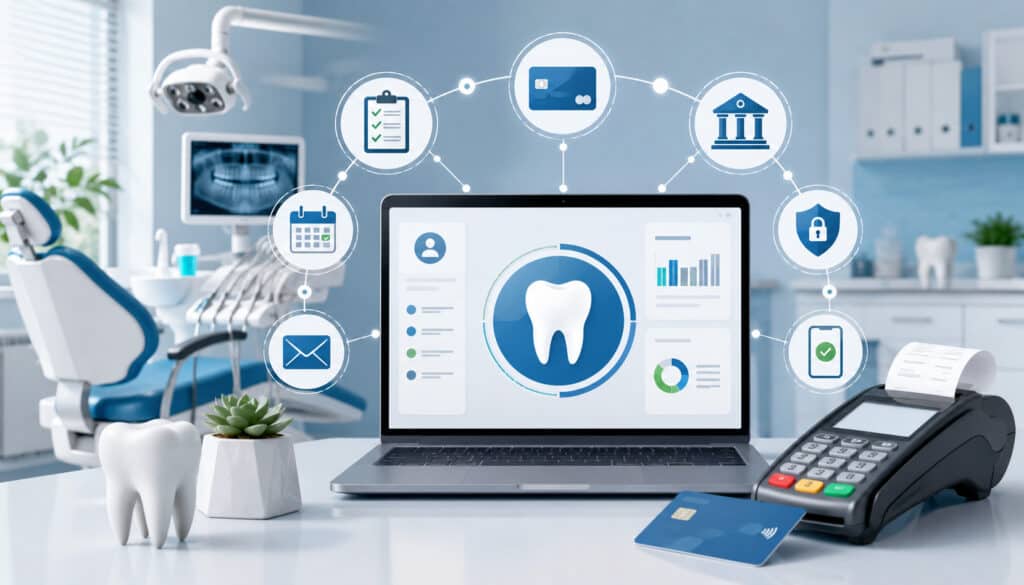
Integrated dental office payment systems usually follow a connected workflow. The process often begins with a treatment estimate, invoice, statement, or patient balance inside the practice management system.
From there, the office offers a payment option: in-office terminal, online payment link, patient portal, ACH, card-on-file, or recurring payment plan.
Once the patient authorizes payment, the transaction is processed through the payment platform. If approved, the payment record can connect back to the patient account, generate a receipt, update the balance, and appear in reporting.
A typical integrated workflow may look like this:
- A treatment estimate or statement is created.
- The patient chooses a payment method.
- The office collects payment in person, online, by phone, or through a portal.
- The payment is authorized securely.
- The transaction is linked to the correct patient account or invoice.
- A receipt is generated.
- The balance is updated.
- Reports show the transaction.
- Deposits are reconciled against processor batches and bank activity.
The exact workflow depends on the software, payment processor, practice management system, and office policies. Some integrations are deep and allow automatic posting. Others provide reporting and payment links but still require some staff review.
The most important point is that integrated payment processing for dental practices should reduce unnecessary manual steps. It should also give the team better visibility into payments across channels.
Patient Portals and Online Payments
Patient payment portals allow patients to review balances and make secure dental payments without calling the office. This is especially helpful for after-hours payments, insurance balance follow-up, family accounts, and patients who prefer digital options.
A portal may show open balances, recent statements, payment due dates, and available payment methods. Patients can pay by card or ACH, depending on the office’s setup. Some portals also support stored payment methods, recurring plans, and receipts.
Online payments for dentists can reduce phone volume and front-desk interruptions. Instead of taking card details over the phone, staff can send a secure payment link or direct the patient to the portal. That supports a cleaner workflow and reduces risky handling of card information.
Patient portals also help with collection timing. A patient who receives a reminder with a direct payment option is more likely to act than a patient who must call during office hours.
Payment Plans and Recurring Billing
Recurring dental payments can support orthodontics, implants, cosmetic dentistry, periodontal treatment, dental memberships, and other larger care plans. Instead of asking patients to pay the full amount upfront, the office may set up scheduled payments according to a written agreement.
Integrated recurring billing helps dental teams manage these plans more efficiently. The system can store payment credentials securely through tokenization, run scheduled payments, generate receipts, update records, and flag failed payments.
This can help both patients and practices. Patients get predictable payments. Practices get more consistent cash flow and fewer manual follow-ups.
Recurring billing works best when expectations are documented clearly. Patients should understand:
- The total amount owed
- Payment schedule
- Charge dates
- Payment method
- Failed payment process
- Cancellation or pause rules
- Refund policy
- How insurance payments affect the balance
For a deeper supporting resource, see this guide on recurring billing for dental treatments and memberships, which discusses how structured recurring billing can support cash flow, case acceptance, and patient communication.
Integrated Payment Processing and Dental Cash Flow
Dental office cash flow depends on more than production. A practice may have a full schedule and strong treatment acceptance, but if patient balances are delayed, payment posting is inaccurate, or follow-up is inconsistent, cash flow can still feel tight.
Integrated dental payment solutions can help improve cash flow by making it easier to collect balances quickly and accurately. Online payments allow patients to pay when it is convenient. Automated reminders can reduce forgotten balances.
Recurring payments can turn large treatment costs into predictable scheduled collections. Faster posting helps the team see what is truly outstanding.
Dental payment automation can also reduce the time between statement delivery and payment. Instead of mailing a statement and waiting for a check, the practice can send a digital statement with a secure payment link. Patients can act immediately.
Better reporting also supports cash flow management. Integrated systems can help show payment activity by location, provider, channel, payment type, batch, and date. This helps administrators identify trends such as high outstanding balances, failed recurring payments, refund patterns, or collection delays.
Integrated payment systems can support:
- Faster collection of patient portions
- Easier follow-up on balances after insurance
- More predictable recurring payment schedules
- Reduced manual posting delays
- Clearer daily reconciliation
- Better visibility into deposits
- Fewer missed or duplicated payments
Cash flow improvement is not automatic. The practice still needs clear payment policies, trained staff, consistent follow-up, and accurate treatment estimates. But integration gives the team better tools to manage the process.
Payment Security and Compliance Considerations
Payment security is a major consideration for every dental office that accepts cards, ACH, online payments, or recurring billing. Secure dental payments require more than a terminal. The office needs workflows that reduce unnecessary exposure to sensitive payment information.
Modern integrated payment systems often use encryption, tokenization, access controls, secure card-on-file storage, user permissions, refund controls, and audit logs. These features help protect card and bank details while limiting what staff can view or change.
Dental teams should avoid storing card details manually. Writing card numbers on paper, saving them in notes, keeping them in spreadsheets, or re-keying stored card data creates avoidable risk. Secure card-on-file workflows should replace manual storage whenever possible.
PCI-aware workflows matter when a practice accepts card payments through terminals, virtual terminals, portals, payment links, or recurring billing. This does not mean every staff member needs to become a security expert.
It does mean the practice should choose tools and processes that reduce exposure, support validation, and keep payment data out of unsafe places.
Important security features include:
- End-to-end encryption
- Tokenized card storage
- Role-based permissions
- Secure payment links
- Refund authorization controls
- User activity logs
- Strong passwords and access management
- PCI-aware processing workflows
- Clear policies for phone payments
This article on PCI DSS requirements for dental practices is a useful related resource because it explains how PCI standards apply to in-office terminals, virtual terminals, payment links, portals, and recurring billing.
Protecting Patient Payment Information
Protecting patient payment information starts with reducing manual handling. Every time staff write down a card number, copy payment details, or store sensitive information outside an approved system, risk increases.
Integrated dental payment solutions help by replacing manual handling with secure workflows. A patient can enter payment information through a secure portal or payment link. A terminal can encrypt card data during the transaction. A stored card can be represented by a token rather than the actual card number.
Tokenization is especially helpful for recurring dental payments and card-on-file arrangements. The office can charge an authorized payment method without storing the actual card data in the practice management notes or office files.
Permissions also matter. Not every team member needs access to refunds, stored payment settings, or reporting exports. Role-based access helps reduce internal mistakes and supports accountability.
Reducing Chargebacks and Payment Disputes
Chargebacks and payment disputes can happen when patients do not recognize a charge, disagree with the amount, misunderstand a payment plan, or feel they did not receive enough documentation. Integrated systems can help reduce disputes by improving records.
Useful documentation includes itemized receipts, signed treatment estimates, payment plan agreements, refund policies, payment history, appointment records, and clear descriptions. When payment activity is connected to patient records, the office can respond more quickly and accurately.
Clear communication is just as important as technology. Patients should know what they are paying for, whether the amount is an estimate or final balance, how insurance may affect the total, and when recurring payments will occur.
For larger treatment plans, provide written financial arrangements before collecting deposits or setting up recurring billing. For online payments, use recognizable business descriptors and clear invoice details.
Features to Look for in Integrated Dental Payment Solutions
Not every payment system is a good fit for a dental practice. Dental billing payments often involve treatment plans, partial balances, insurance estimates, family accounts, membership plans, card-on-file, refunds, and multiple payment channels. The right system should support these workflows without adding unnecessary complexity.
Start with compatibility. The payment solution should integrate with the dental practice management software your office uses or provide a reliable workflow that supports posting, reporting, and reconciliation. Ask whether payments can be linked to patient records, invoices, statements, or treatment balances.
Next, evaluate payment options. Patients may want to pay in person, online, by mobile link, through a portal, by card, by ACH, or through a recurring plan. The office should be able to offer convenient options while maintaining secure dental payments.
Reporting and reconciliation are also essential. Look for tools that make it easy to compare approved transactions, refunds, voids, batches, deposits, and posted payments. Strong reports can save hours each month.
Important features to consider include:
- Practice management software integration
- In-office terminal support
- Online payment links
- Patient payment portals
- ACH and card payment options
- Recurring billing
- Secure card-on-file storage
- Automated receipts
- Refund and void controls
- User permissions
- Payment reminders
- Batch and deposit reporting
- Reconciliation tools
- Failed payment notifications
- Responsive support
- Transparent fee reporting
The best dental office payment systems should make work easier for staff and payment easier for patients. A system with impressive features but poor usability may not deliver the expected value.
Common Challenges When Implementing Payment Integration
Payment integration can improve workflows, but implementation still requires planning. A dental office should not assume that integration will solve every issue immediately. Setup, training, compatibility checks, and testing are all important.
One common challenge is software compatibility. Some dental practice management software payments workflows support deep integration, while others may require a lighter connection. Before signing an agreement, confirm what the integration actually does.
Does it post payments automatically? Does it only provide payment links? Can it support refunds, partial payments, recurring billing, and reporting?
Staff training is another challenge. Front-desk teams, billing staff, treatment coordinators, and administrators may all use the system differently. Each role should understand the workflow that applies to them.
Data migration and stored payments also require care. If the office is switching providers, stored card tokens may not transfer. Patients may need to reauthorize card-on-file or recurring billing arrangements. This should be communicated clearly.
Other challenges include:
- Setup time
- Hardware installation
- Gateway configuration
- Fee review
- Workflow changes
- Patient communication
- Testing online payments
- Verifying deposit timing
- Updating payment policies
- Handling failed recurring payments
A phased rollout can help. Start with core payment workflows, train staff, test transactions, and then expand to online payments, portals, reminders, and recurring billing.
Best Practices for Using Dental Payment Integration
Integrated dental payment solutions work best when technology is paired with clear office procedures. A good system can reduce manual work, but staff still need consistent workflows for collecting, posting, reviewing, and reconciling payments.
Begin by mapping current payment workflows. Identify every place payments are accepted: front desk, treatment consultation, phone, website, portal, payment link, recurring plan, and membership program. Then define how each payment should be recorded.
Next, train the team by role. Front-desk staff may need checkout and receipt training. Billing staff may need reconciliation and refund training. Treatment coordinators may need deposit and payment plan training. Administrators may need reporting and permissions training.
Use written policies. Patients should understand payment expectations, deposit requirements, recurring billing terms, refund rules, and accepted payment methods. Staff should know how to explain these policies consistently.
Best practices include:
- Map payment workflows before implementation
- Test all transaction types
- Train staff by role
- Set user permissions carefully
- Document refund and payment plan policies
- Reconcile daily
- Review failed payments quickly
- Use payment links for outstanding balances
- Keep receipts itemized and easy to access
- Review reports weekly
- Monitor fees and chargeback trends
- Communicate payment options clearly to patients
Daily reconciliation is especially important. Even with integration, offices should verify that reports, posted payments, and deposits make sense. The goal is not to eliminate review. The goal is to make reviews faster and more accurate.
Common Mistakes to Avoid
A payment integration project can fall short when practices focus only on technology and overlook workflow, training, compatibility, and patient communication. Avoiding common mistakes can help the office get more value from the system.
One major mistake is choosing a tool without confirming compatibility. A payment platform may advertise integration, but the details matter. Ask exactly what connects, what still requires manual work, and what reporting is available.
Another mistake is failing to train staff. Even a strong system can create confusion if team members do not know how to process refunds, send payment links, handle failed recurring payments, or reconcile batches.
Weak security settings are also a concern. If too many users can issue refunds, export reports, or change stored payment settings, the practice may face avoidable risk. Permissions should be reviewed during setup and periodically afterward.
Avoid these mistakes:
- Choosing a system without checking software compatibility
- Assuming all integrations offer automatic posting
- Skipping test transactions
- Failing to train front-desk and billing teams
- Keeping unclear payment policies
- Storing card details manually
- Not reviewing refund permissions
- Ignoring patient convenience
- Overlooking ACH or recurring payment needs
- Not reviewing fees and batch reports
- Forgetting to update patient communications
Patient convenience should not be treated as optional. If online payments are hard to find, payment links are confusing, or receipts lack detail, patients may still call the office or delay payment.
FAQs
What are integrated dental payment solutions?
Integrated dental payment solutions are payment systems that connect payment processing with dental office workflows such as patient accounts, invoices, treatment balances, online portals, recurring billing, receipts, reporting, and reconciliation. They help dental teams collect payments and update account information more efficiently.
How does dental payment integration work?
Dental payment integration works by connecting payment tools with dental practice management software or related billing systems. When a patient pays in person, online, through a portal, or through a recurring plan, the transaction can be linked to the appropriate patient record, invoice, or balance.
What are the benefits of integrated payment solutions for dentists?
The main benefits include faster payment posting, fewer billing errors, easier reconciliation, better patient convenience, stronger payment security workflows, improved reporting, and healthier dental office cash flow. Integration can also reduce front-desk workload and support more consistent collections.
Can integrated systems reduce billing errors?
Yes. Integrated systems can reduce billing errors by limiting duplicate data entry and connecting transactions to the correct account or invoice. Staff should still review reports and exceptions, but the risk of manual posting mistakes can be lower.
Are integrated dental payments secure?
Integrated dental payments can be secure when the system uses encryption, tokenization, secure portals, user permissions, and PCI-aware workflows. Dental offices should avoid manually storing card details and should use approved tools for card-on-file and recurring payments.
Can dental offices offer recurring payments through integrated systems?
Yes. Many integrated systems support recurring dental payments for orthodontics, implants, cosmetic treatment, memberships, and larger treatment plans. The office should use written agreements, clear schedules, secure tokenized storage, and automated receipts.
How do integrated payment systems improve cash flow?
Integrated systems can improve cash flow by making it easier for patients to pay balances quickly, supporting online payment links, automating reminders, enabling recurring billing, reducing posting delays, and giving the office better visibility into outstanding balances and deposits.
What features should dental offices look for?
Dental offices should look for practice management software compatibility, online payment links, patient payment portals, card and ACH options, recurring billing, secure card-on-file storage, automated receipts, refund controls, permissions, reporting, reconciliation tools, payment reminders, and reliable support.
Conclusion
Integrated dental payment solutions help dental practices connect payments, billing, patient records, online portals, recurring plans, reporting, and reconciliation into a smoother workflow. Instead of relying on separate systems and repeated manual entry, dental teams can manage payments with better visibility, accuracy, and consistency.
The right integration can help payments post faster, reduce billing errors, support secure dental payments, improve patient convenience, and strengthen dental office cash flow. It can also reduce front-desk workload by making online payments, recurring billing, receipts, refunds, and reporting easier to manage.
For dentists, office managers, billing teams, practice owners, and healthcare administrators, payment integration is not just a technology upgrade. It is an operational improvement that supports better financial control and a more convenient patient experience.