By alphacardprocess March 3, 2026
Every dental practice wants checkout to feel simple: a patient swipes or taps, the receipt prints, the balance is settled, and the front desk moves on to the next appointment. But behind that quick moment is a serious responsibility—protecting payment data.
PCI DSS requirements for dental practices matter because dental offices are uniquely “real world.” Phones ring. Patients ask to split payments. Team members juggle insurance estimates, treatment plans, deposits, refunds, and payment plans—often while running multiple systems at once.
That pace creates opportunities for small shortcuts that turn into big security problems: writing down card numbers “just this once,” emailing a receipt with too much detail, using a shared login, or plugging a terminal into whatever network port is closest.
PCI DSS (Payment Card Industry Data Security Standard) exists to reduce those risks. It’s not about being “perfect” or becoming a cybersecurity expert. It’s about proving you handle card payments responsibly and keeping practical safeguards in place all year—not just when you fill out an annual form.
If you’re a practice owner, office manager, or administrator, this guide will walk you through PCI compliance for dental offices in clear, non-technical language.
You’ll learn what compliance actually means, how your payment workflows affect PCI scope, how to pick the right SAQ, and how to build front-desk policies that protect patients without slowing down the schedule.
What PCI DSS Is and What “Compliance” Actually Means
PCI DSS is a set of security standards created by the major card brands to protect cardholder data. If your practice accepts card payments—whether that’s in-office EMV terminals, a virtual terminal for phone payments, payment links, a portal, or recurring billing—PCI standards for dental practices apply to you.
A common misconception is that PCI is a one-time certification. In reality, “compliance” has two parts:
- Annual validation: Most practices complete an annual Self-Assessment Questionnaire (SAQ) and provide an Attestation of Compliance (AOC) or equivalent validation to their processor or acquiring bank.
- Ongoing security controls: You must keep the security practices in place continuously—password rules, access controls, device security, patching, safe handling procedures, and (for some setups) vulnerability scans.
Think of PCI like infection control: you don’t sterilize instruments once a year and call it done. You have daily habits, documented processes, and periodic checks.
PCI compliance for dental offices is also tied to how you accept payments. A practice using only standalone, dial-out terminals with no connection to office computers has a very different risk profile than a practice that keys card numbers into a browser-based virtual terminal on a shared front-desk PC.
Key Terms Dental Teams Need to Know (Without the Tech Overload)
Before you can meet dental practice PCI compliance requirements, you need a clear vocabulary. These terms show up in SAQs, vendor documentation, and security conversations.
Cardholder Data vs. Sensitive Authentication Data
Cardholder data generally includes:
- Primary account number (PAN) — the full card number
- Cardholder name (when present)
- Expiration date
- Service code (rarely relevant in modern workflows)
Sensitive authentication data (SAD) includes:
- Full magnetic stripe track data (Track 1/Track 2)
- CVV/CVC (the 3–4 digit security code)
- PIN/PIN block
Why does this matter? Because PCI rules treat SAD as highly restricted. Even if your intentions are good, storing SAD creates a serious breach risk.
What’s prohibited: Storing full track data or CVV after authorization—period. Not in a spreadsheet. Not in a “notes” field. Not in emails. Not in scanned intake forms.
Your practice can store certain cardholder data only if there is a legitimate business need and you follow strict security controls. But in most dental settings, storing raw card details is unnecessary and avoidable.
Why Storing Full Track Data or CVV Is a Non-Starter
It’s tempting to think “we’re small; no one will target us.” The reality is that many breaches are automated. Attackers scan systems for weak passwords, unpatched software, and exposed remote access. If they land in a system and find stored CVVs or track data, the impact becomes much worse.
From a practical standpoint:
- CVV is meant to be used once for verification and then discarded.
- Track data can enable counterfeit card creation.
- Storing either increases your risk, your compliance burden, and your liability.
Tokenization vs. Encryption (And Why Both Matter)
Encryption scrambles data so it cannot be read without the decryption key. It’s important for protecting data in transit (moving across networks) and at rest (stored on a device/server). However, encryption still involves managing keys and secure storage—often too complex for a small practice to do safely on its own.
Tokenization replaces sensitive card data with a non-sensitive “token.” The token can be stored and reused for billing (like payment plans) without storing the actual card number. Tokenization typically shifts much of the PCI burden to your payment provider—if implemented correctly.
In dental office workflows, tokenization is usually the preferred approach for:
- Recurring payments/payment plans
- Card-on-file for future copays or follow-ups
- Deposit holds (where supported)
Mapping Dental Payment Scenarios to PCI Scope (What Changes Your Responsibilities)
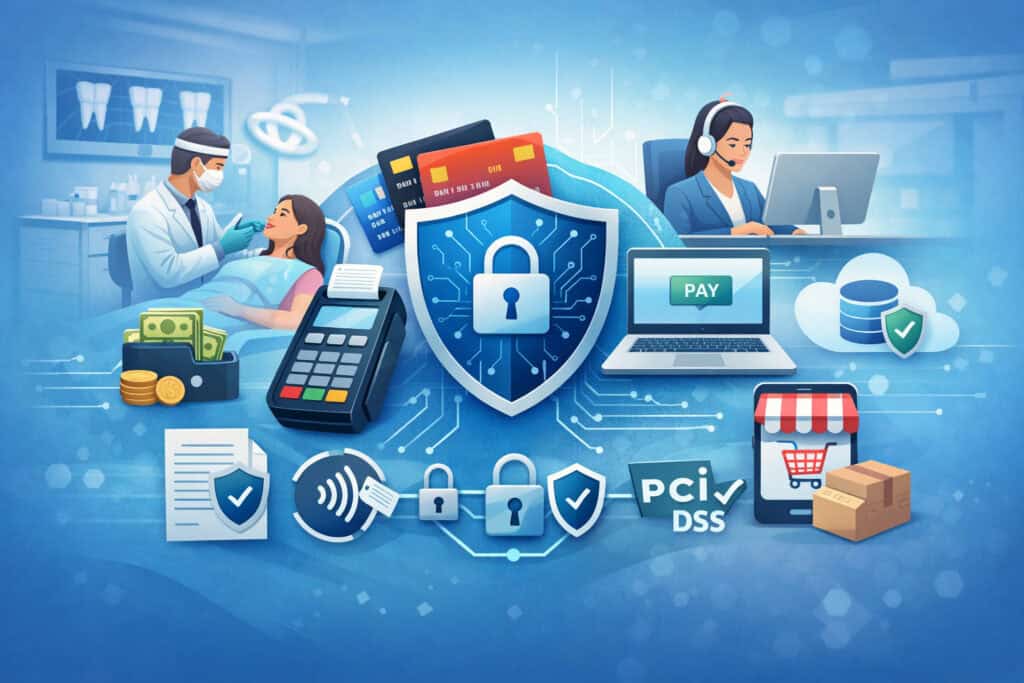
PCI scope means the people, processes, and technology that can store, process, or transmit cardholder data. The more places card data touches, the larger your scope—and the more demanding your compliance becomes.
Dental practices often have multiple payment scenarios running at once. You may accept in-person payments at check-in, collect deposits by phone, send payment links after insurance adjudication, and manage payment plans for larger treatments. Each scenario changes your PCI footprint.
Below are common workflows and how they typically affect Payment security requirements for dental offices.
In-Office Terminals (EMV and Contactless)
For many practices, the simplest path is taking payments on standalone EMV terminals (chip insert) and contactless payments (tap-to-pay). When the terminal is not connected to your office computers in a way that exposes card data, your scope can be relatively limited.
However, terminals still create responsibilities:
- Physical security and tamper checks
- Secure placement and controlled access
- Keeping firmware updated (through your vendor)
- Avoiding “fallback” habits like writing down card numbers when a chip fails
If your terminal is connected via your network (Ethernet/Wi-Fi) rather than a separate phone line, you also have to consider your network security posture.
Keyed/Phone Payments and Virtual Terminals
Phone payments are where dental offices commonly drift into risky habits. The “quick fix” is asking the patient for their card number and typing it into a virtual terminal—often on the same front-desk computer used for email, scheduling, and web browsing.
This increases exposure because:
- The workstation becomes part of PCI scope.
- Staff may accidentally store details (clipboard, notes, screenshots).
- Malware risk is higher on multipurpose PCs.
- Shared logins and weak passwords become a serious issue.
Safer approaches include:
- Using a dedicated, locked-down workstation for payments only
- Using a compliant payment gateway with strong access controls and MFA
- Using a call script that discourages repeat-back of full card numbers
- Using payment links as an alternative when appropriate
Online Payment Links and Patient Portals
Hosted payment pages, patient portals, and payment links can reduce scope dramatically—if they are truly hosted and the practice’s website or systems don’t handle the card data directly.
In a typical hosted setup:
- Patients enter their card details on the provider’s secure payment page.
- Your practice receives confirmation and settlement details.
- You may store only tokens or transaction references.
The main risks shift to:
- Account takeover of staff logins
- Weak password practices
- Phishing that targets staff to steal portal credentials
- Misconfigured links or redirect issues if your website is involved
For many practices, hosted links and portals are a practical “scope reduction” strategy.
Recurring Payments and Payment Plans (Stored Credentials)
Payment plans are common in dentistry, especially for larger treatments. The PCI-safe way to manage recurring charges is through stored credentials using tokenization.
Best practice characteristics:
- Your team never sees or stores raw card details after the initial entry.
- The system stores a token, not the PAN.
- Customers authorize the recurring schedule clearly.
- The practice can process future payments using the token.
Risks appear when:
- The practice stores card numbers in notes or spreadsheets “for convenience.”
- Staff uses paper forms without secure handling and disposal.
- The PMS “stores” card details without tokenization.
Integrations With Practice Management Software
Many PMS platforms integrate with payment processors. Integrations can streamline checkout, but they can also blur the line of responsibility.
Questions to ask:
- Does the PMS store tokens or store raw card data?
- Where does the payment flow occur—inside PMS, a browser, or a standalone terminal?
- Are there role-based permissions inside the PMS for payment actions?
- How are refunds handled and logged?
- Are audit logs available?
Your PCI DSS requirements for dental practices depend on these answers. Integration can reduce manual errors, but it does not automatically reduce PCI scope.
SAQ Options for Dental Practices (How Practices Typically Choose)
The Self-Assessment Questionnaire (SAQ) is the annual validation form most practices use. There isn’t one SAQ for “all dental offices.” The right SAQ depends on your payment channels, technology setup, and whether your systems can touch cardholder data.
Here are common SAQ types you’ll hear about:
- SAQ A: Often for fully outsourced e-commerce/online payments where the practice does not handle card data directly (hosted payment page) and no systems store/process/transmit card data.
- SAQ A-EP: For e-commerce setups where the website can affect payment security (for example, a site that hosts or embeds payment elements in a way that increases responsibility).
- SAQ B: Typically for imprint machines or standalone dial-out terminals (less common today).
- SAQ B-IP: For standalone payment terminals that connect via IP but are not integrated into systems that store card data.
- SAQ C: For payment application systems connected to the internet, with more complexity than simple terminal-only environments.
- SAQ C-VT: For virtual terminals on a single, dedicated computer used only for processing payments.
- SAQ D: The most comprehensive; often required when environments are complex or when card data can be stored/processed/transmitted in broader systems.
The best way dental practices determine the SAQ is by documenting the payment flow:
- Where does card data enter?
- Where can it travel?
- Where can it be stored (even accidentally)?
- Which devices and accounts are involved?
Avoid choosing an SAQ based on what seems easiest. Choose based on your actual environment.
A Practical PCI Compliance Checklist for Dental Practice (Step-by-Step)

This section is your working blueprint. You can use it to build your internal PCI compliance checklist for dental practice without turning your office into a tech department. Start with inventory, reduce scope, lock down access, and then validate.
Step 1: Inventory Payment Channels and Vendors
First, list every way you accept payments. Most practices have more than they think.
Inventory checklist:
- In-office terminals (front desk, secondary terminal, mobile device)
- Keyed payments (phone, mail, walk-in without card)
- Online payments (payment links, portal, hosted page)
- Recurring payments and payment plans
- Refunds and adjustments workflows
- Any “card on file” features in PMS
- Any third-party services that take payments (financing, collections portals)
Vendor inventory:
- Payment processor/acquirer relationship
- Payment gateway
- Terminal provider
- PMS vendor and integration partner
- IT managed service provider (if used)
- Any remote support tools used on front-desk systems
Also document who owns each vendor relationship internally.
Step 2: Reduce PCI Scope With Smarter Payment Design
Scope reduction is the heart of practical compliance. Your goal is to keep card data out of your computers, email, and PMS whenever possible.
Scope reduction actions:
- Use validated P2PE terminals for in-person payments where possible
- Use hosted payment pages or payment links for remote payments instead of collecting card numbers by phone
- Use tokenization for recurring billing and payment plans
- Avoid storing PAN in any practice system unless absolutely necessary (and even then, prefer tokenization)
- If you must use a virtual terminal, use a dedicated workstation with restricted use and access
Also reduce the number of staff members who can process refunds or manually key payments. Fewer hands touching payment functions means fewer errors and less risk.
Step 3: Secure Network and Wi-Fi (Without Overcomplicating It)
Even small offices need basic network discipline. You don’t need a complicated setup, but you do need to prevent easy compromises.
Network/Wi-Fi checklist:
- Change default router/firewall passwords immediately
- Use strong Wi-Fi encryption and a long passphrase
- Separate guest Wi-Fi from office systems (true segmentation, not just a different password)
- Keep payment devices on a controlled network segment where possible
- Disable unused services and remote administration unless necessary
- Ensure a firewall is in place between your internal network and the internet
If your terminals use Wi-Fi, ensure they are on a secured network—not an open or guest network.
Step 4: Device Security for Terminals and Computers
PCI isn’t only about digital threats. Physical access matters in a dental practice where patients are near the front desk and devices are visible.
Terminal/device checklist:
- Secure terminal placement and limit who can handle devices
- Perform documented tamper checks (look for broken seals, unusual overlays, unexpected cables)
- Keep terminal firmware and software updated through the provider
- Use only provider-approved accessories and cables
- Replace outdated terminals that no longer receive updates
Workstation checklist:
- Use automatic updates for operating systems and browsers
- Lock screens automatically after short inactivity
- Remove unnecessary software and browser extensions
- Use anti-malware protection where applicable
- Limit local admin rights (staff should not have admin accounts for daily use)
Step 5: Passwords, MFA, Access Control, and Least Privilege
Payment security breaks down quickly when everyone shares credentials. Shared logins also destroy accountability, making it hard to investigate errors or disputes.
Access control checklist:
- Unique logins for every user (no shared accounts)
- Strong password policy and secure password storage practices
- Enable MFA on payment gateways, portals, and admin accounts
- Apply least privilege: only grant the access a role needs
- Remove access immediately when staff leave or change roles
- Review access quarterly (or at minimum during quarterly audits)
If a vendor tells you MFA is optional, enable it anyway where possible.
Step 6: Staff Training That Matches Front-Desk Reality
Training should reflect the situations staff actually face: a rushed patient on the phone, an email with card info, a request to split a payment, or a patient wanting a refund to a different card.
Training topics that matter:
- Recognizing phishing and fake support calls
- Safe handling of phone payments and voicemail risks
- What not to write down (PAN, CVV)
- How to handle patients who email card details
- Refund rules and verification steps
- Secure disposal of any paper containing payment info
- How to escalate “something feels off” situations
Make training practical, not scary. Focus on simple “do this, not that” behavior and repeat it regularly.
Step 7: Logging, Monitoring, and Incident Readiness Basics
Many practices think monitoring is only for large organizations. In reality, basic logging and awareness help you detect issues early—like suspicious refunds, unusual login times, or repeated failed attempts.
Monitoring checklist:
- Enable audit logs on payment gateways and PMS payment modules if available
- Review refund and void activity weekly
- Watch for new admin users or permission changes
- Monitor for unusual transaction patterns (small repeated charges, late-night activity)
- Keep an incident response plan accessible (even a one-page version)
You do not need to spy on staff. You need visibility into payment-related activity and changes.
Step 8: Vendor Management and What to Request
Dental practices rely on vendors: processor, gateway, PMS, IT provider, terminal provider, and sometimes remote support tools. Vendor oversight is part of PCI standards for dental practices because your security depends on them.
Vendor management checklist:
- Request each vendor’s Attestation of Compliance (AOC) where applicable
- Confirm whether the vendor uses validated P2PE (if relevant)
- Request a responsibility matrix (who owns what security controls)
- Confirm how data is handled (tokenization vs stored PAN)
- Confirm breach notification and support processes
- Document vendor support access methods (and require MFA for remote access when possible)
Step 9: Annual SAQ and Quarterly Vulnerability Scans (If Required)
Your SAQ type determines what validation steps you need annually, and whether you must perform external vulnerability scans through an Approved Scanning Vendor (ASV).
Validation checklist:
- Complete the correct SAQ based on actual payment flow
- Maintain evidence for key controls (policies, access lists, training logs)
- If required, schedule quarterly scans and address findings promptly
- Keep records of remediation and rescans
Penetration testing may apply in more complex environments, but many dental practices will not require it depending on scope.
Common Mistakes Dental Offices Make (And How to Fix Them)
Most PCI failures in dental settings aren’t caused by malicious intent. They’re caused by busy teams improvising under pressure. The good news is that these mistakes are fixable with clear policies and better workflow design.
Common mistakes:
- Writing card numbers on paper to “enter later”
- Asking patients to email card details or accepting them when sent
- Storing PAN in PMS notes, appointment notes, or internal messages
- Keeping scanned intake forms that include card data
- Using shared logins for the gateway or terminal
- Running payments on public or guest Wi-Fi
- Using outdated terminals or unsupported operating systems
- Leaving the virtual terminal logged in on a shared front-desk computer
- Letting vendors remote in without strong controls
- Confusing “chargebacks” with “fraud” and skipping investigation steps
Practical fixes:
- Replace paper capture with payment links or call-back procedures
- Create a zero-tolerance rule: no card data in email, texts, or notes fields
- Use tokenization for payment plans
- Require unique logins and MFA
- Separate guest Wi-Fi and lock down payment workstations
- Establish tamper-check and update routines for terminals
- Build a simple escalation path when staff aren’t sure what to do
Front-Desk Policies and Scripts That Keep Payments Safe
Policies work only when they match how front-desk conversations happen. Your staff needs scripts that protect patients while maintaining a professional, calm tone.
How to Take Payments by Phone Safely
Phone payments are common for deposits, balances, or treatment plan payments. The goal is to minimize exposure and avoid creating records of card data.
Best-practice phone payment steps:
- Confirm patient identity using your standard verification process
- Use the approved payment system (virtual terminal or payment link)
- Never repeat the full card number out loud
- Never write down card details “temporarily”
- If the patient is not comfortable sharing card info by phone, offer a secure payment link or portal option
- Confirm amount, date, and whether it’s a one-time or recurring payment
- Provide a receipt through your standard system (without exposing PAN)
Sample script:
- “For your security, I’ll enter your card details directly into our secure payment system, and we don’t store the security code. Please read the card number when you’re ready.”
If you receive voicemail with card details, treat it as sensitive and escalate immediately. Do not transcribe it into notes or forward it.
What to Do if a Patient Emails Card Information
This happens often. The key is responding consistently.
Policy:
- Do not process the card from the email.
- Do not forward the email to other staff.
- Follow your secure payment method instead.
Sample response:
- “Thanks for reaching out. For your security, please don’t send card details by email. I’m going to delete that information and we can take payment securely by phone or through a secure payment link. Which would you prefer?”
Then:
- Delete the email following your office’s retention rules
- Document that a secure payment method was used instead
- Remind staff not to store the email in shared folders
Refund and Adjustment Handling Without Creating Risk
Refunds are a frequent trigger for disputes and internal errors. Build a controlled process.
Refund policy checklist:
- Verify patient identity and transaction reference
- Refund to the original payment method when possible
- Restrict refund permissions to limited roles
- Require a second review for high-dollar refunds or unusual patterns
- Document reason codes consistently (avoid free-text that could contain sensitive data)
- Use gateway/PMS logs rather than manual notes
Sample script for refund timeline expectations:
- “We processed the refund today. Depending on the card issuer, it typically posts within a few business days. If it hasn’t appeared after that, please call us and we’ll help.”
Handling Paper Forms (If You Still Use Them)
Some practices still use paper for deposits or payment plans. If you do, build strict controls.
Paper handling rules:
- Avoid collecting CVV on paper whenever possible
- Store forms in a locked location with restricted access
- Limit copies—ideally none
- Process promptly and securely
- Securely dispose of the paper (cross-cut shredding or approved disposal process)
- Never scan forms into general document storage if they contain card data
HIPAA vs. PCI: How They Differ (And Why Both Still Matter)
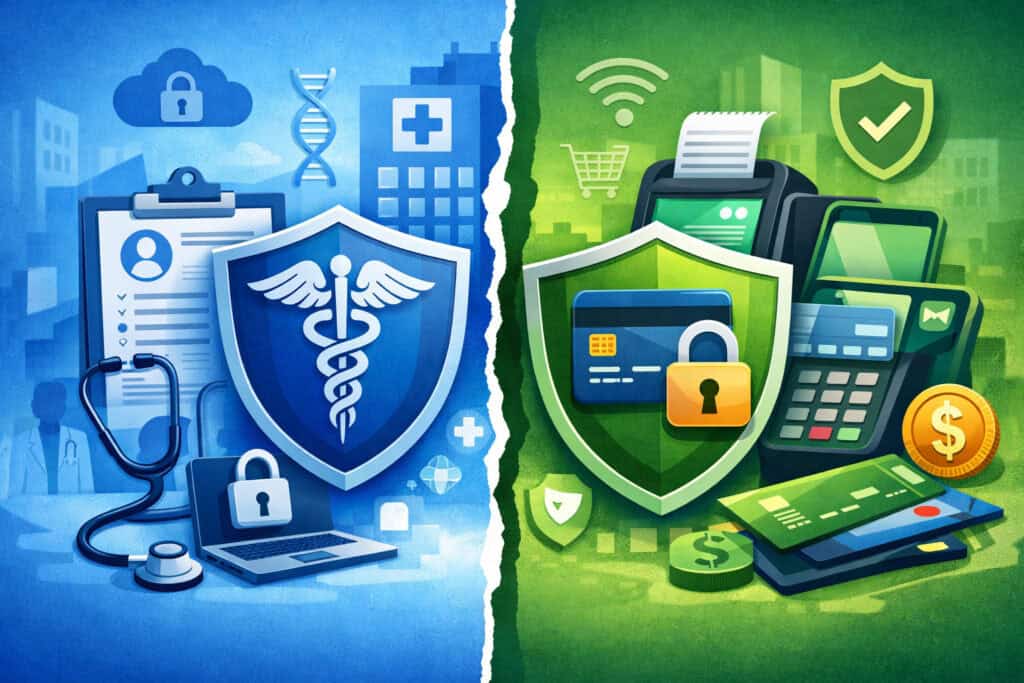
Dental practices often assume that if they’re careful with patient health information, they must also be compliant with payment security. The truth is that HIPAA and PCI are different frameworks with different goals.
- HIPAA focuses on protecting patient health information and governing how it can be used and disclosed.
- PCI DSS focuses on protecting cardholder data and securing payment systems.
They overlap in the sense that both require thoughtful controls, staff training, and documentation. But HIPAA compliance does not automatically equal PCI compliance, and PCI compliance does not cover everything HIPAA addresses.
Practical differences in day-to-day operations:
- A HIPAA-secure file storage method may still be an inappropriate place for card data.
- A HIPAA-driven “keep detailed notes” mindset can accidentally lead to storing cardholder data in PMS notes.
- PCI has strict prohibitions (like storing CVV) that don’t have direct equivalents in other frameworks.
This guide is general operational guidance and not legal advice. For formal legal interpretations, consult appropriate professionals. Operationally, your goal is to design workflows where PHI and cardholder data are handled in their proper systems with minimal overlap.
Costs, “PCI Fees,” and What’s Legitimate vs. a Red Flag
Many dental practices see a line item labeled “PCI fee” and assume it’s either mandatory or a scam. The reality is more nuanced. Different providers structure PCI-related costs differently, and practices often get confused because the terminology is inconsistent.
Common legitimate PCI-related cost categories (conceptually):
- Compliance program fee: Some providers charge for access to a compliance portal, SAQ tools, or support resources.
- Non-compliance fee: If a practice does not complete validation (SAQ/AOC, scans if required), providers may assess a monthly penalty until validation is completed.
- Security services fees: Optional add-ons like managed scanning support, endpoint protection, or incident support services.
- Terminal and gateway fees: Not PCI fees directly, but often tied to secure payment methods like P2PE, tokenization, or hosted payment pages.
Red flags to watch:
- A “PCI fee” that is vague with no portal, documentation, or support
- Pressure tactics without clear explanation of what’s required
- Claims that you must buy expensive security products you don’t need
- Providers who cannot explain your SAQ type or your compliance path
- Fees that continue even after you provide validation, without clarification
What to ask your provider:
- “What exactly does this fee cover?”
- “What’s required for validation in our environment?”
- “Which SAQ applies and why?”
- “Do we need ASV quarterly scans?”
- “Do you provide an AOC or documentation for your services (gateway/P2PE)?”
A Simple 30-Day Compliance Improvement Plan
You don’t need to overhaul everything at once. In 30 days, you can make meaningful improvements that reduce risk and make annual validation easier.
Days 1–7: Map and Stabilize
Actions:
- Document all payment channels (terminal, phone, links, recurring)
- Identify every system that can touch card data (terminal, gateway, PMS, email)
- Remove obvious high-risk behaviors immediately:
- No card data in email
- No card data in notes
- No writing down card numbers
- Assign one “PCI owner” internally for coordination
Deliverables:
- Payment flow diagram (simple is fine)
- One-page policy: “How we accept payments safely”
Days 8–15: Reduce Scope and Lock Down Access
Actions:
- Turn on MFA for the gateway and portal accounts
- Create unique user accounts and remove shared logins
- Restrict who can process refunds and who can view payment settings
- If you use a virtual terminal, designate a dedicated workstation and lock it down
- Confirm tokenization for payment plans; stop storing raw card data
Deliverables:
- Access list by role
- Refund permission policy
Days 16–23: Network and Device Hygiene
Actions:
- Change default passwords on networking equipment
- Separate guest Wi-Fi from office systems
- Confirm firewall is active and configured
- Create a terminal tamper-check routine
- Ensure OS/browser updates are enabled on payment workstations
Deliverables:
- Network checklist completed
- Device security routine documented
Days 24–30: Train, Validate, and Document
Actions:
- Run a short staff training focused on real scenarios
- Write phone scripts and email response scripts
- Start building your PCI evidence folder (policies, training logs, vendor AOCs)
- Begin SAQ preparation based on your actual payment flow
- If scans are required, schedule them and plan remediation
Deliverables:
- Training sign-off sheet
- Script sheet at the front desk
- PCI documentation folder
A 90-Day Maturity Plan (From “Compliant” to “Confident”)
After the first 30 days, focus on making PCI part of normal operations rather than an annual event.
Days 31–60: Strengthen Controls and Reduce Exceptions
Actions:
- Replace remaining manual payment workarounds with links/hosted options
- Review vendor access methods and require stronger controls
- Implement quarterly internal reviews of:
- User access
- Refund activity
- Device inventory
- Establish a patching and update cadence for all systems
Outcome:
- Fewer payment exceptions
- Fewer people with high-risk permissions
- More predictable operations
Days 61–90: Build Repeatable Audits and Incident Readiness
Actions:
- Create a simple incident response mini-playbook (see next section)
- Test your response with a tabletop exercise:
- “What if the gateway account is compromised?”
- “What if a terminal looks tampered?”
- Confirm you can quickly access:
- Vendor support contacts
- Processor contacts
- Device inventory and serial numbers
- Finalize annual SAQ completion workflow and calendar it
Outcome:
- Faster response if something happens
- Less disruption to patient care and scheduling
- Stronger trust with patients and staff
Incident Response Mini-Playbook (General Guidance, Not Legal Advice)
Even well-run practices can face incidents: suspicious emails, compromised accounts, malware, a lost device, or a terminal that looks altered. The goal is to act quickly, preserve evidence, and involve the right parties.
This is general guidance and not legal advice. Your situation may require consultation with appropriate professionals.
Step 1: Identify and Contain
Immediate actions:
- If you suspect a compromised account, reset credentials and revoke sessions if possible
- If a workstation might be infected, isolate it from the network (disconnect Wi-Fi/Ethernet)
- If a terminal appears tampered, stop using it immediately and remove it from service
- Do not “wipe” devices or uninstall things before documentation—preserve evidence
Who should be involved:
- Practice owner/administrator
- Office manager
- IT support (if used)
- Payment processor/gateway support as appropriate
Step 2: Notify the Right Parties (In the Right Order)
In many cases, your payment processor/gateway provider will guide the next steps.
Start with:
- Payment processor or acquiring bank contact
- Payment gateway support contact
- Terminal provider contact (if device-related)
- IT support provider (if systems-related)
Ask:
- What evidence should we preserve?
- Do we need to stop accepting payments temporarily?
- What steps are required for investigation?
- Are there specific PCI reporting requirements?
Step 3: Preserve Evidence and Document Everything
Evidence practices:
- Record dates, times, and observed behavior
- Keep logs, screenshots, and system alerts
- Document who took which actions and when
- Maintain a timeline
Avoid:
- Deleting suspicious emails before saving relevant headers (if IT requests them)
- Reimaging systems before investigation (unless explicitly directed)
- Continuing normal operations on suspected systems
Step 4: Remediate and Prevent Recurrence
After guidance from vendors/IT:
- Patch vulnerabilities
- Reset credentials and enforce MFA
- Replace compromised devices
- Review access controls and logs
- Update staff training and scripts based on what happened
FAQ
Q1) Do PCI DSS requirements apply if we only take cards occasionally?
Answer: Yes. If you accept card payments at all, PCI DSS requirements for dental practices apply. The validation method and scope may be smaller, but compliance still matters.
Q2) If our processor says we’re “covered,” does that mean we’re compliant?
Answer: Not automatically. Processors and gateways can reduce your scope, but your practice still has responsibilities—like securing devices, controlling access, and following safe handling procedures.
Q3) What’s the difference between PCI compliance and being “secure”?
Answer: PCI compliance is a defined standard with required controls and validation steps. Security is broader. PCI helps you implement practical baseline protections for payment data.
Q4) Are we allowed to store card numbers in our practice management software?
Answer: Only if there’s a legitimate need and it’s done securely. In most cases, you should store tokens rather than raw card numbers. Storing CVV or track data is prohibited.
Q5) Can we keep paper forms with card details for payment plans?
Answer: Paper increases risk. If you must use it temporarily, you need strict storage, limited access, prompt processing, and secure disposal. Most practices are better served by tokenized payment plan workflows.
Q6) What SAQ should a dental office complete?
Answer: It depends on your payment channels and technology setup. Common types include A, B-IP, C-VT, and D. Determine SAQ type based on where card data can be stored, processed, or transmitted.
Q7) Do we need quarterly vulnerability scans?
Answer: Some environments require them—especially where systems are internet-facing or where scope includes certain network components. Your SAQ type and processor requirements typically determine this.
Q8) What is P2PE and why do dental offices care?
Answer: Point-to-point encryption (P2PE) encrypts card data immediately at the terminal so it’s less exposed in your environment. It can reduce PCI scope and simplify compliance—if the solution is validated and implemented properly.
Q9) What should we do if a patient emails their card number?
Answer: Do not process the payment from the email. Reply with a secure alternative (phone via secure system or payment link), delete the card details according to your retention rules, and document the secure method used.
Q10) Are “PCI fees” always legitimate?
Answer: Some are legitimate, some are confusing, and some are questionable. Legitimate fees typically relate to compliance program administration, security tools, or non-compliance penalties. Ask for clarity, documentation, and your specific requirements.
Q11) Does using contactless payments change PCI requirements?
Answer: Contactless payments can reduce certain fraud risks compared to swipe transactions, but PCI requirements still apply. Device security, access controls, and secure networks remain essential.
Q12) What’s the most common PCI failure in dental practices?
Answer: Uncontrolled handling of card data—writing it down, emailing it, storing it in notes fields, or using shared logins. The fix is usually workflow redesign plus consistent training.
Conclusion
PCI DSS requirements for dental practices are best approached the same way great dental operations are: build the right system, train the team, and run consistent checks.
Most offices don’t need complex security programs—they need clear payment workflows that avoid storing card data, reduce PCI scope, and support staff with scripts and policies that match real front-desk scenarios.
When your practice uses secure terminals, hosted payment options, tokenization for payment plans, strong access controls, and steady training, PCI compliance becomes manageable—and patient trust stays protected.