
By alphacardprocess March 3, 2026
Dental offices often overpay for card acceptance for the same reason they overpay for supplies: the costs are buried in “normal operations,” split across multiple vendors, and rarely audited with the same attention you give clinical systems. Processing fees show up in small line items, confusing rate formats, and monthly charges that look unavoidable.
Meanwhile, your front desk is trying to move patients through check-in, manage insurance estimates, collect balances, set up payment plans, and keep schedules full—so the payment system becomes “whatever works,” even if it’s expensive.
Reducing fees matters, but not at the expense of patient experience. A dental practice isn’t a retail shop. Patients want predictable billing, multiple ways to pay, and confidence that their information is secure. Your team needs workflows that are fast, error-resistant, and easy to reconcile.
The goal isn’t to nickel-and-dime patients or play games with the system. The goal is to remove waste: avoidable keyed transactions, unnecessary gateway charges, poorly timed batching, downgrade-prone data entry, junk fees, and contract terms that keep you trapped.
This long-form guide is written from the perspective of someone who has reviewed hundreds of merchant statements, rebuilt front-desk payment workflows, coached teams on chargeback prevention, and negotiated pricing with processors.
You’ll learn how fees really work, how to read your statement like a pro, and how to implement ethical, compliant, realistic changes that reduce cost while improving collections.
If you want to Reduce Credit Card Processing Fees in Dental Offices without breaking your operations, you’re in the right place.
How Credit Card Processing Pricing Works
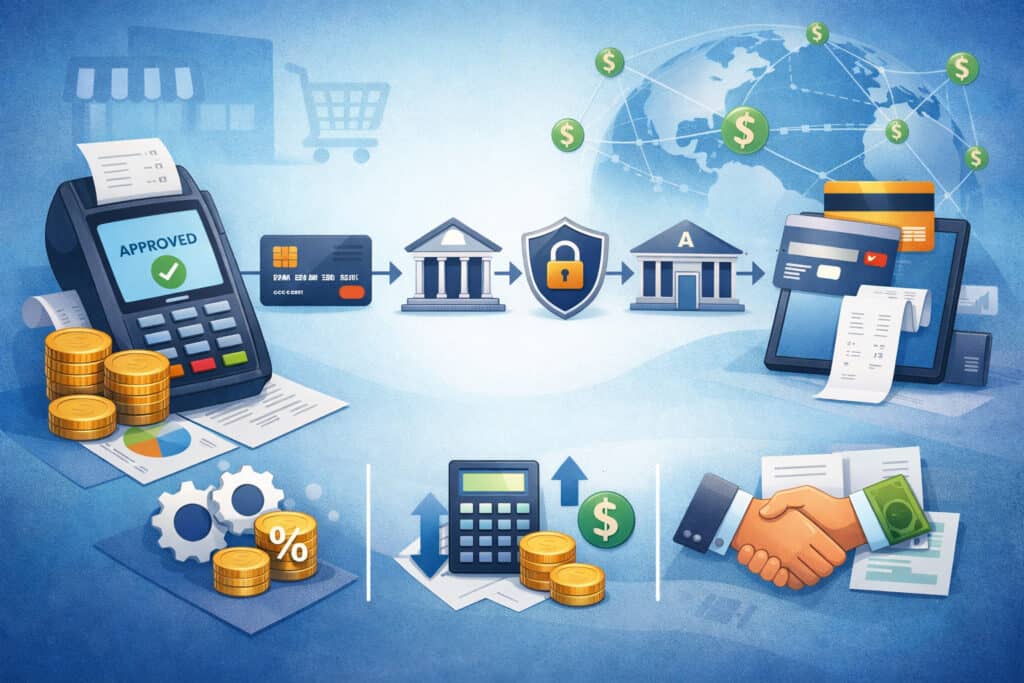
Before you can lower fees, you need to understand what you’re paying for. The reason your bill looks confusing is that card pricing is built from multiple layers. Most offices only see the total and assume it’s a single “rate.” It’s not.
At a high level, your total processing cost usually includes:
- Interchange (paid to the card-issuing bank)
- Assessment fees (paid to the card brands)
- Processor markup (paid to your processor/payment provider)
- Incidental and monthly fees (PCI fees, gateway fees, terminal rental, batch fees, authorization fees, etc.)
Interchange and assessments are not profit for your processor. They are underlying costs tied to card type, acceptance method, and risk level. Your processor’s profit is mostly in the markup and the extra fees.
Interchange: The Base Cost You Can Influence (But Not Control)
Interchange is the largest component in most transactions. It varies by:
- Card type (rewards, business, premium)
- How the transaction is accepted (card-present vs card-not-present)
- Whether it’s chip/EMV, contactless, or keyed
- Data quality (e.g., AVS match for card-not-present)
- Risk signals (fraud and dispute risk)
You can’t “negotiate interchange” away. But you can reduce your exposure to higher-cost categories by improving how payments are taken.
Assessment Fees: Small Percentages That Add Up
Assessment fees are charged by the card brands. These are often a percentage of volume, sometimes with additional network fees. They’re typically smaller than interchange but still meaningful across a busy practice.
You usually can’t negotiate assessments, but you can reduce add-on network fees by avoiding repeated authorizations, minimizing refunds, and keeping your batching clean.
Processor Markup: The Part You Can Negotiate
Processor markup is what your provider adds on top of interchange and assessments. Markup can show up as:
- A percentage plus a per-transaction fee
- Monthly minimums and “account fees”
- Gateway or platform fees
- Risk/compliance fees
- Statement and reporting fees
- “Non-qualified” or “downgrade” charges in tiered plans
This is where many offices overpay—especially if they’re on blended or tiered pricing that hides the true markup.
What Is an “Effective Rate” and Why Does It Matters?
Your effective rate is the simplest way to compare providers and track improvements:
- Effective rate (%) = Total processing cost ÷ Total card sales
Total processing cost should include all processing-related charges, not just discount fees. That means adding:
- Per-transaction fees
- Monthly fees (PCI, gateway, statement, platform)
- Terminal rental
- Batch fees
- Authorization fees
- Any surcharge program fees (if applicable)
Effective rate is not a perfect metric because card mix changes month to month, but it’s a powerful baseline.
Blended vs Interchange-Plus Pricing (And Why Transparency Wins)
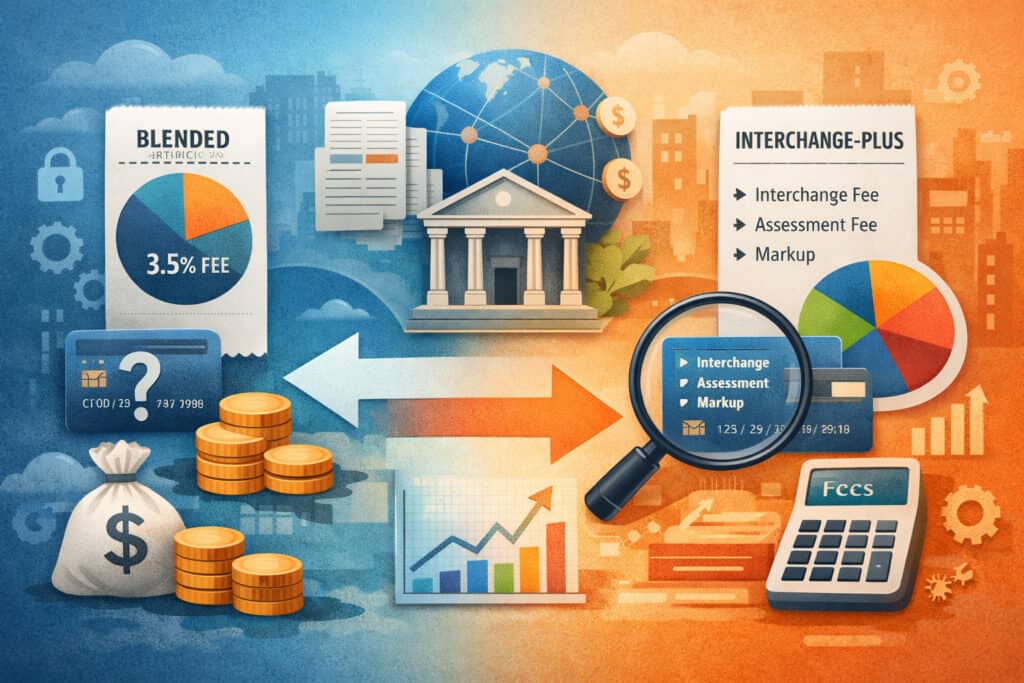
Most dental practices are placed on one of two models: blended/tiered pricing or interchange-plus pricing. Understanding the difference is the fastest way to identify whether you’re being overcharged.
Blended and Tiered Pricing: Simple on the Surface, Expensive in Reality
Blended pricing offers a single rate (or a few tiers like “qualified / mid-qualified / non-qualified”). It feels straightforward:
- “2.9% + $0.25”
- “Qualified 1.79% / Non-qualified 3.49%”
- “A flat rate for everything”
The problem is that your processor decides which transactions fall into which buckets. The definitions can be vague, and the downgrade penalties are often harsh. If your practice accepts a high share of rewards cards or takes payments online, blended pricing can quietly inflate costs.
Blended pricing can be acceptable for very low volume offices that value simplicity over optimization, but most established practices can do better.
Interchange-Plus Pricing: The Most Transparent Structure
With interchange-plus, you pay:
- Actual interchange + assessments
- Plus a clear processor markup (e.g., “+ 0.20% and $0.10”)
This is typically the best foundation for dental payment processing cost reduction because:
- You can see the true underlying costs
- Your markup is explicit and negotiable
- Junk fees stand out more easily
It also makes statement analysis easier. When you can separate interchange from markup, you can target improvements like reducing keyed transactions, shifting more payments to card-present EMV, or pushing higher balances to ACH.
How to Read a Merchant Statement and Identify the Biggest Cost Drivers

A merchant statement is like a clinical chart: once you know how to read it, you can spot the problem areas quickly. The challenge is that statements vary widely by provider. Some are clean and transparent. Others are designed to overwhelm you.
When you’re trying to reduce credit card fees dental practice owners must focus on the drivers, not the noise.
Start With These Three Numbers
- Total card volume (gross sales)
- Total processing cost (all fees)
- Effective rate (cost ÷ volume)
Then break cost into:
- Transaction fees (percentage + per-item)
- Monthly fees (PCI, gateway, platform, statement)
- Incidental fees (chargebacks, retrievals, refunds, AVS, batch)
Common Line Items and What They Usually Mean
Here are statement items I see frequently in dental office credit card processing fees, along with what to look for:
- Discount rate / Discount fee: The percentage-based charge on volume. In interchange-plus, this may show as pass-through costs plus markup.
- Interchange: Sometimes itemized by category, sometimes grouped.
- Assessments / Network fees: Charged by card brands; typically pass-through.
- Authorization fees: Charged per attempt; excessive counts can signal workflow issues (multiple retries, unnecessary re-auths).
- Batch fee / Batch close: Charged when you settle the day’s transactions; high fees may indicate an outdated plan.
- PCI fee: A monthly compliance fee; sometimes reasonable, sometimes inflated.
- PCI non-compliance: A penalty fee if you didn’t complete validation—often avoidable.
- Gateway fee: For online payments, virtual terminal, tokenization vault, or payment links.
- Terminal rental / equipment fee: Monthly rental; often far more expensive than purchasing equipment outright.
- Chargeback fee / Retrieval fee: Charged when a dispute happens or documentation is requested.
- AVS fee: Address Verification Service cost for card-not-present transactions.
- Monthly minimum: If you don’t generate enough processing fees, you’re charged the difference.
How to Find Your Biggest Cost Drivers Quickly
Use this approach:
- Identify the top 10 fees by dollar amount
- Identify the top 10 fees by frequency (counts)
- Separate costs into:
- Costs tied to how you accept payments (keyed, online, CNP)
- Costs tied to your contract (monthly fees, rentals, minimums)
- Costs tied to risk events (chargebacks, refunds)
If you see a high share of keyed/CNP volume, frequent AVS fees, or an unusually high number of authorizations, you’ve found real savings opportunities.
The Real Reasons Dental Offices Overpay (And How to Spot Them)
Most fee reduction doesn’t come from “getting a lower rate.” It comes from eliminating the small operational choices that compound costs every day. Dental offices tend to overpay when they have:
- High card-not-present and keyed volume
- Weak batching discipline
- Too many refunds and avoidable disputes
- Outdated equipment rentals and overpriced gateways
- Tiered plans with downgrade-heavy rules
- Undertrained staff handling payment exceptions
The tricky part is that these issues often feel like “normal front desk life.” The team is busy, and a quick key-entry or a second authorization attempt seems harmless. But processors and networks price for risk and inefficiency.
A Quick Self-Assessment
If you answer “yes” to several of these, there’s likely money on the table:
- Do you key in cards at checkout even when the patient is present?
- Do you take payments by phone and type cards into a virtual terminal often?
- Do you run multiple authorizations for the same visit?
- Do you sometimes forget to batch out, or batch late?
- Do you rent terminals month-to-month?
- Do you have multiple systems charging gateway fees?
- Do you process many refunds rather than adjustments/credits on future balances?
- Are you unsure what your PCI fee covers?
- Are your statements hard to reconcile with your practice management system?
Strategy 1: Increase Card-Present EMV Transactions and Reduce Keyed Entries
One of the fastest ways to lower costs is to reduce keyed transactions when the patient is physically present. Keyed payments are priced higher because they carry more fraud and dispute risk. Even if fraud isn’t common in dental, the pricing models still assume higher risk.
Improving card-present usage also reduces downstream headaches:
- Fewer typos and chargebacks tied to wrong amounts
- Faster checkout and fewer re-runs
- Better authorization success
Practical Workflow Improvements
To increase card-present EMV usage:
- Place an EMV/contactless terminal where patients naturally check out
- Use patient-facing prompts and clear signage
- Train staff to default to “tap/insert” unless there’s a real exception
- Keep backup devices ready so “terminal is down” doesn’t force key-entry
If you have a multi-room checkout model, consider a mobile or second terminal to avoid keying “just this once.”
Where Keyed Entries Still Make Sense (Use Sparingly)
Keyed entries can be appropriate when:
- The patient is not present and cannot use a secure payment portal
- A card must be stored for a payment plan (using tokenization properly)
- There’s a legitimate exception (e.g., terminal outage), documented
The key is controlling the ratio. A practice with healthy payment operations usually minimizes ad hoc keying.
Strategy 2: Use Secure Payment Links and Portals to Reduce Manual Entry Errors
When a team member types card data into a virtual terminal, you introduce risk and extra fees. Card-not-present acceptance often includes AVS costs, higher interchange categories, and higher dispute vulnerability. The hidden cost is also human time spent fixing entry errors.
Secure payment links and patient portals can reduce costs by:
- Minimizing manual entry and typos
- Improving AVS match rates when patients enter their own billing address
- Creating better records for dispute defense
- Allowing patients to pay when it’s convenient, improving collection speed
What “Secure” Should Mean in Practice
A secure payment link/portal should support:
- Tokenization (so card data isn’t stored in your office systems)
- Patient identity matching (invoice number, account ID, or unique link)
- Payment confirmation receipts
- Optional saved payment methods for future balances
It should not rely on staff texting card data or taking payment details over insecure channels.
How to Use Links Without Upsetting Patients
Communication matters. Patients are more likely to use a link if:
- It’s framed as convenience and security
- The message is short and clear
- The amount due is explained and matches their expectations
Train the team to say something like:
“We can take your card here, or I can send a secure link so you can pay from your phone—whichever is easier.”
Strategy 3: Optimize Batching and Avoid Extra Authorizations, Voids, and Retries
Batching is one of those “small admin” tasks that quietly costs real money. Poor batching habits can lead to:
- Extra batch fees (in some setups)
- Higher risk scores and occasional funding delays
- More reconciliation issues
- Duplicate authorizations or “hanging” holds that irritate patients
Even if your provider doesn’t charge a batch fee, the workflow issues still matter.
What “Good Batching” Looks Like in a Dental Office
A practical batching process includes:
- Closing the batch once daily at a consistent time
- Ensuring all same-day transactions are captured before close
- Avoiding “late night fixes” that lead to re-runs or duplicate authorizations
- Having a clear process for voids vs refunds
If your office has multiple shifts or late appointments, assign ownership: one role, one time, one checklist.
Reduce Extra Authorizations
Excess authorization attempts happen when:
- Staff retries the same card multiple times
- Cards are run once for pre-authorization and again for final payment
- The team runs separate transactions instead of adjusting a single one
- A portal attempt fails and staff immediately rekeys the card
Use clear “payment attempt rules,” for example:
- Try once on the terminal
- If declined, verify card and available funds
- Offer alternate payment methods (debit, ACH, financing)
- Avoid repeated rapid-fire attempts
Strategy 4: Reduce Refunds and Chargebacks Through Better Policies and Documentation
Refunds and chargebacks are expensive in two ways: you lose revenue temporarily (or permanently), and you pay fees for the event. A dispute also increases risk scoring, which can raise costs over time.
The best way to reduce chargebacks is to prevent confusion before it starts. In dental, disputes usually come from:
- Misunderstanding of what was authorized vs what was due
- Confusion about insurance estimates and final patient responsibility
- Dissatisfaction with treatment outcomes or perceived value
- Payment plan misunderstandings
- Duplicate charges or mismatched descriptions on statements
Refund Reduction: Operational Improvements
Refunds often stem from over-collection. Improve accuracy by:
- Using clear estimates and explaining what is an estimate
- Confirming patient responsibility at checkout with a printed or digital summary
- Training staff to use the right transaction type (sale vs pre-auth vs incremental)
- Using tokenized payment methods for plans rather than taking large upfront payments “just in case”
When refunds are necessary, process them quickly and document them clearly.
Chargeback Prevention Through Documentation
For dispute defense, keep:
- Signed treatment plans and financial policies
- Proof of patient consent for stored payment methods
- Receipts with date/time and the practice descriptor
- Notes of phone calls and emails about balances and payment plans
- Evidence that the patient received services (appointment logs)
Strategy 5: Use Tokenization and Stored Payment Methods Properly for Payment Plans
Payment plans are common in dental, but they can become fee-heavy if handled poorly. The wrong approach is storing card data in insecure ways or repeatedly keying it monthly. The right approach is using tokenization, where the processor stores card data securely and your practice stores only a token.
Tokenization supports:
- Recurring payments with reduced risk
- Better compliance posture
- Lower error rates
- Stronger evidence trail for disputes
How to Implement Stored Payments Ethically
Stored payments should always be:
- Opt-in, with clear consent
- Specific about schedule, amount, and duration
- Easy to cancel or update
- Communicated ahead of each charge when possible
Use clear agreement language that patients can understand. If your team can’t explain the plan in two sentences, it’s too complicated.
Avoid These Common Mistakes
- Storing card numbers in notes, spreadsheets, or practice management “free text”
- Running recurring charges as manual keyed sales without AVS checks
- Charging without clear consent or without notifying patients of changes
- Failing to update expired cards, leading to multiple authorization attempts
Strategy 6: Consider ACH for Larger Balances and Payment Plans (Pros and Cons)
For larger balances, card fees can become material quickly. ACH can be a practical alternative for:
- Large treatment plans
- Multi-month payment arrangements
- Post-insurance billing where balances can be sizable
- Patients who prefer bank payments
ACH is not a magic solution, but it can be a strong lever for dental payment processing cost reduction when used correctly.
Pros of ACH for Dental Practices
- Often lower per-payment cost than card acceptance
- Useful for larger balances where card fees are painful
- Works well for recurring payment plans
- Reduces risk of chargebacks (ACH has its own dispute processes, but they differ)
Cons and Operational Considerations
- Some patients prefer cards for rewards and convenience
- Returns can happen (insufficient funds, incorrect account details)
- Settlement timing may differ from card funding
- Staff must explain it clearly to avoid confusion and missed payments
Offer ACH as an option, not a mandate. Position it as “a lower-cost bank transfer option for larger balances and payment plans.”
Strategy 7: Negotiate or Switch to Transparent Pricing and Avoid Junk Fees
If your pricing model is opaque, you’re likely overpaying. Switching to transparent pricing—often interchange-plus—is one of the most effective structural moves to lower merchant fees for dental office operations.
But negotiation isn’t just “ask for a lower rate.” It’s a statement-driven conversation.
What to Bring to a Pricing Discussion
You want to show that you understand:
- Monthly volume and average ticket size
- Card-present vs card-not-present mix
- Keyed percentage
- Refund and chargeback frequency
- Current effective rate and fee breakdown
Then request:
- Clear interchange-plus markup
- Reduced per-transaction fees where possible
- Removal or reduction of unnecessary monthly fees
- A cap or reduction on PCI fees if they’re inflated
- Clear contract terms with no surprise increases
Junk Fees to Watch For
Common fee categories that deserve scrutiny:
- Excessive PCI fees or PCI non-compliance penalties
- High gateway fees when you rarely use online payments
- Terminal rental that never ends
- Statement fees, reporting fees, “regulatory” fees without clarity
- Batch fees on modern systems
- Monthly minimums that don’t fit seasonal volume patterns
Strategy 8: Evaluate Hardware and Gateway Costs and Avoid Unnecessary Rentals
Hardware is one of the most overlooked expenses in dental office credit card processing fees. Many practices rent terminals for years. The rental fee looks small monthly, but over time it can exceed the purchase price multiple times.
Your real goal should be:
- Modern EMV + contactless terminals
- Minimal device downtime
- Integrated or well-supported standalone workflows
- Clear ownership costs
Terminal Rental vs Ownership
Rentals can make sense temporarily if:
- You need quick replacement coverage
- You expect a system change soon
- You require specialized equipment support
But for most offices, long-term rentals are expensive.
Also evaluate whether you’re paying for:
- Multiple terminals you don’t need
- Separate gateway fees for each device
- A “hardware insurance” plan that duplicates warranties
Gateway Fees and Duplicate Tools
If you have:
- A payment portal
- A virtual terminal
- Payment links
- A separate “patient statement payment site”
You may be paying multiple gateway fees or platform fees. Consolidate where possible to reduce cost and simplify training.
Strategy 9: Improve Staff Training to Prevent Downgrades and Address Verification Issues
Front desk training is one of the highest ROI levers in a dental practice. Many fee issues are caused by small behaviors that can be fixed with short, consistent coaching.
When card-not-present transactions are processed, poor data quality can trigger higher costs or declines. Address Verification Service (AVS) can help reduce fraud and disputes, but it also adds friction if used inconsistently.
Training Topics That Reduce Fees
Train your team on:
- When to use chip/tap vs key-entry
- How to handle declines without repeated attempts
- How to confirm billing address details for card-not-present
- Proper use of voids vs refunds
- Correct handling of pre-authorizations if your workflow uses them
- How to use payment links instead of phone-based card entry
Preventing Downgrades in Tiered Plans
If you’re still on tiered pricing, training matters even more. “Downgrades” can happen due to:
- Keyed entry without AVS
- Missing required data fields
- Incorrect transaction type selection
- Delayed settlement or batching issues
Even on interchange-plus, better data quality often means fewer exceptions and fewer incidental fees.
Compliance-Sensitive Options: Surcharging, Cash Discounting, Dual Pricing, and Convenience Fees
Many practices ask about adding fees to offset processing costs. These approaches can be implemented ethically in some situations, but they are compliance-sensitive and must be handled carefully. Rules can vary by card brands, local regulations, and the specific method you use.
This section is general guidance only. Before implementing any of these, discuss it with your processor and, when appropriate, legal counsel.
Surcharging
Surcharging generally means adding a percentage fee to certain card transactions to cover processing costs. Important considerations include:
- Rules may differ by card brands
- Disclosure requirements can be strict
- There may be limits on amount or method of presentation
- Debit transactions may be treated differently than credit
If poorly implemented, surcharging can lead to patient dissatisfaction, disputes, and compliance problems.
Cash Discounting
Cash discounting typically means offering a lower price for cash-like payment methods and maintaining a higher “standard” price. It requires:
- Clear signage and communication
- Consistent application
- Correct setup in the payment system
The risk is confusing patients who think they are being “charged extra” unexpectedly.
Dual Pricing
Dual pricing can mean listing one price for card and a different price for cash/ACH-like methods. It can be operationally clean if your systems support it, but again, rules vary and transparency is essential.
Convenience Fees
A convenience fee is often associated with an alternate payment channel, such as online invoice payments. Whether it’s allowed and how it must be disclosed depends on rules that can vary. If you’re considering convenience fees:
- Confirm your provider supports it correctly
- Ensure disclosures are clear before payment
- Apply it consistently only where permitted
Real-World Scenarios: What Works for Small Practices vs Multi-Location Groups
The best strategy depends on volume, payment mix, and how centralized your billing is. Here are realistic scenarios that reflect what typically works in practice.
Scenario A: Small Practice With Mostly In-Office Payments
Common pattern:
- High card-present volume
- Some phone payments
- Occasional payment plans
Best moves:
- Ensure every checkout is chip/tap, not keyed
- Purchase modern terminals instead of renting
- Audit statement for junk monthly fees
- Move payment plans to tokenized recurring billing
- Offer ACH for large treatment balances
Results often come quickly because small workflow changes affect a high share of transactions.
Scenario B: Multi-Location Practice With Central Billing and Online Payments
Common pattern:
- Significant card-not-present volume via portal and phone
- Multiple devices, multiple gateways
- Higher dispute exposure due to billing complexity
Best moves:
- Consolidate gateways and standardize tools across locations
- Implement secure payment links to reduce phone-based key entry
- Improve documentation workflows and receipts for dispute defense
- Negotiate enterprise pricing with transparent markup and fee caps
- Create standardized batching and refund policies
Bigger organizations often achieve savings by reducing platform duplication, standardizing processes, and leveraging negotiating power.
Scenario C: High Percentage of Payment Plans
Common pattern:
- Recurring charges
- Card expirations and declines
- Higher administrative time for collections
Best moves:
- Tokenization and recurring billing with patient consent
- ACH option for longer plans or larger balances
- Smart retry logic and patient notifications
- Clear financial policy scripts for staff
The goal is stable collections with fewer retries, fewer authorizations, and fewer disputes.
Vendor Comparison and Negotiation Checklist (Plus Contract Red Flags)
Whether you’re negotiating with a current provider or switching, you want a structured checklist. This prevents you from being “sold” on a low headline rate while the real costs hide elsewhere.
Vendor Comparison and Negotiation Checklist
Use this list to compare providers:
- Pricing model:
- Interchange-plus available?
- What is the markup (percentage + per item)?
- Monthly fees:
- PCI fees (what exactly do they cover?)
- Gateway fees (for portal, payment links, virtual terminal)
- Statement/platform fees
- Monthly minimums
- Transaction fees:
- Authorization fees
- Batch fees
- AVS fees (if used)
- Refund fees (if any)
- Hardware and software:
- Terminal purchase vs rental options
- EMV/contactless support
- Tokenization and recurring billing features
- Contract terms:
- Term length
- Early termination fee
- Rate increase
- Seasonal volume accommodations
- Reporting:
- Interchange detail reporting
- Location-level reporting (if multi-site)
- Exportable reports for reconciliation
Contract Red Flags to Avoid
Watch for:
- Long terms with steep early termination fees
- Allowing rate increases “at any time”
- Bundled “non-cancellable” equipment leases
- Vague “compliance” or “regulatory” fees without definition
- Monthly minimums that don’t match your seasonal volume
- Tiered plans with unclear downgrade rules
- Separate gateway contracts that outlive your processing agreement
If you’ve ever felt “stuck” with a provider, it’s usually because of contract structure, not technology.
Step-by-Step 30-Day Cost Reduction Plan
You can reduce costs quickly without changing everything at once. This plan focuses on fast wins, statement clarity, and workflow fixes that don’t overwhelm your team.
Week 1: Baseline and Statement Analysis
- Pull the last 3 months of merchant statements
- Calculate effective rate for each month:
- Total fees ÷ total volume
- Identify:
- Card-present vs card-not-present volume
- Keyed transaction count
- Top 10 fees by dollar amount
- Top 10 fees by frequency
- List every monthly fee and what it’s for
Week 2: Front Desk Workflow Improvements
- Standardize checkout to chip/tap whenever possible
- Implement a secure payment link/portal script for staff
- Create a decline handling policy (no repeated rapid retries)
- Reduce manual phone entry where possible
- Confirm that batching happens daily at a consistent time
Week 3: Refund and Chargeback Prevention
- Review your financial policy wording and receipt process
- Improve documentation:
- Treatment plan consent
- Payment plan consent
- Patient communications log
- Fix descriptor issues if patients frequently don’t recognize charges
- Train staff on void vs refund rules and timing
Week 4: Vendor and Fee Negotiation
- Request from your provider:
- Interchange detail or fee breakdown report
- Written fee schedule
- Negotiate:
- Transparent pricing (interchange-plus)
- Removal/reduction of junk fees
- Hardware rental replacement plan
- If they won’t engage, begin provider comparison using your checklist
The 90-Day Optimization Plan for Sustainable Savings
The first 30 days reduce waste. The next 60 days build a system that stays efficient even when staffing changes, volume spikes, or you add locations.
Days 31–60: System Consolidation and Payment Mix Strategy
- Consolidate gateways and eliminate duplicate monthly fees
- Implement tokenized recurring payments for payment plans
- Offer ACH as a standard option for larger balances
- Establish reporting:
- Monthly effective rate
- Keyed rate tracking
- Chargeback/refund trend tracking
- Review hardware deployment and replace outdated terminals
Days 61–90: Contract Optimization and Advanced Workflow Standardization
- Finalize transparent pricing and clean contract terms
- Standardize scripts across staff and locations:
- Payment link explanation
- ACH option explanation
- Payment plan consent process
- Reduce operational friction:
- Fewer re-runs
- Cleaner reconciliation
- Better patient communication
- Run a quarterly statement review cadence (30-minute meeting)
This is where cost reduction becomes part of operations, not a one-time project.
FAQ
Q1) What is the fastest way to reduce processing fees in a dental office?
Answer: The fastest ethical wins usually come from reducing keyed transactions, increasing EMV/contactless card-present usage, and eliminating unnecessary monthly fees like inflated terminal rental or redundant gateway charges. These changes often lower your effective rate without changing patient pricing.
Q2) How do I know if my dental office is overpaying?
Answer: Calculate your effective rate using total fees divided by total card volume, including monthly and incidental fees. Then compare month-over-month and identify major cost drivers like keyed entry, high gateway fees, or tiered pricing downgrades. If your statement is unclear, that’s often a sign you’re not getting transparent pricing.
Q3) Is interchange-plus pricing always better than blended pricing?
Answer: Interchange-plus is usually more transparent and easier to optimize, but it’s only better if the provider’s markup and monthly fees are reasonable. A low markup with high platform fees can cost more than a simple plan for some offices. Always compare the total cost and workflow fit.
Q4) Why are keyed transactions more expensive?
Answer: Keyed transactions are typically priced as higher risk because they lack the fraud protections of chip/tap acceptance. They can also lead to more data errors and disputes. Even if your office rarely experiences fraud, the pricing model still treats keyed entry as riskier.
Q5) Will secure payment links really lower costs?
Answer: Secure payment links often reduce manual entry errors, improve verification success, and create better documentation trails, which can reduce disputes and time spent fixing issues. They also help shift phone payments away from staff-keyed transactions, which can positively impact your overall fee profile.
Q6) Should we accept ACH for payment plans?
Answer: ACH can be a strong option for larger balances and longer payment plans because the per-payment cost is often lower than card acceptance. The tradeoffs include different settlement timing and potential returns. Offering ACH as an option—paired with clear communication—often improves collections and reduces costs.
Q7) Are refunds expensive from a processing standpoint?
Answer: Refunds can be expensive operationally and can trigger additional fees depending on your provider. They also increase reconciliation work and can contribute to patient confusion. Reducing over-collection and improving estimate communication usually reduces refunds and lowers processing friction.
Q8) How can we reduce chargebacks in a dental practice?
Answer: Use clear financial policies, ensure treatment plan consent is documented, provide easy-to-understand receipts, and maintain communication records. Also verify your statement descriptor is recognizable. Many disputes are “confusion disputes,” and clarity prevents them.
Q9) What fees on my statement should I challenge first?
Answer: Start with recurring fees that don’t clearly map to value: terminal rental, high gateway fees, statement/platform fees, PCI fees that seem inflated, monthly minimums that don’t fit your volume pattern, and batch/authorization fees that suggest outdated pricing or workflow inefficiencies.
Q10) Can staff training actually reduce processing costs?
Answer: Yes. Training reduces keyed entries, prevents repeated authorization attempts, improves address verification practices for card-not-present payments, and decreases errors that lead to refunds and disputes. A short, consistent training program often produces measurable fee reduction.
Q11) What’s the difference between cash discounting and dual pricing?
Answer: These terms are sometimes used interchangeably, but they can be implemented differently depending on system design and how prices are presented. Both require clear disclosure and proper setup. Because rules vary by card brands and local regulations, consult your processor and legal counsel before implementing either.
Q12) How often should we review our merchant statement?
Answer: At minimum, review monthly at a high level (effective rate, major fees, anomalies) and do a deeper review quarterly. Also review immediately after any contract change, new terminal deployment, or workflow change like adding a payment portal.
Conclusion
To Reduce Credit Card Processing Fees in Dental Offices, focus on what you can control: acceptance methods, workflow discipline, staff training, and contract transparency.
The biggest savings usually come from operational improvements—shifting from keyed to EMV/contactless, using secure payment links instead of manual entry, minimizing unnecessary authorizations and refunds, and using tokenization correctly for payment plans.
From there, you can negotiate or switch to transparent pricing and eliminate junk fees that quietly drain margin every month.
Fee reduction should never feel like a trick. When done right, it improves patient experience: clearer billing, easier payment options, fewer errors, and fewer awkward conversations at checkout.